 Flippd Help
How do profit calculations and platform fees work?
Flippd automatically calculates your profit on every sale by factoring in what you paid, what you sold for, platform fees, shipping, and any adjustments. This article explains the full calculation chain and how platform fees are applied.
The Profit Formula
Net Profit = Gross Sale - Cost of Good - Platform Fees - Shipping Cost - Adjustments - Taxes
| Component | Description | Example |
|---|---|---|
| Gross Sale | The total amount the buyer paid you | $50.00 |
| Cost of Good | What you originally paid for the item | $10.00 |
| Platform Fees | Fee charged by the selling platform | $6.80 (13.6%) |
| Shipping Cost | What you paid to ship the item | $5.00 |
| Adjustments | Returns, refunds, promoted-listing fees, or other deductions | $0.00 |
| Taxes | Sales tax you (not the platform) remitted | $0.00 |
| Net Profit | Your actual earnings | $28.20 |
Linked expenses (supplies, repairs, authentication) attached to the item are also subtracted in the cost breakdown.
How Platform Fees Are Calculated
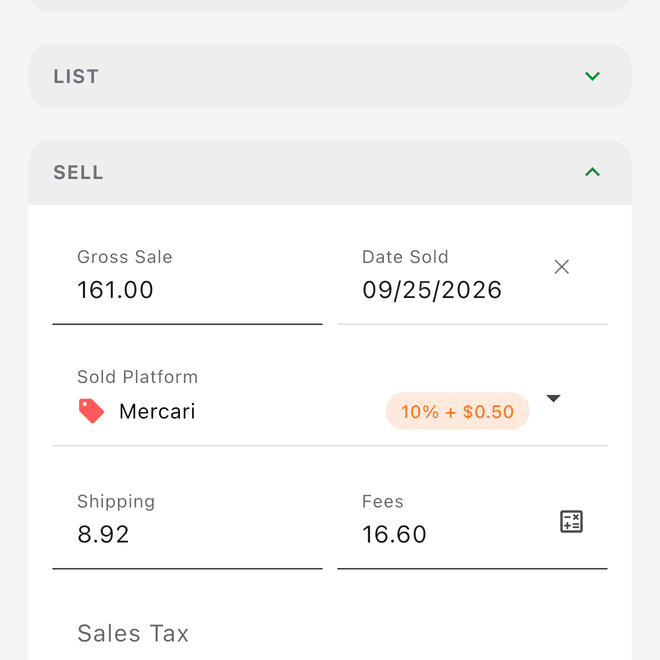
When you record a sale and select a platform, Flippd applies that platform's fee structure. Flippd supports two structures:
- Simple -- a base percentage plus optional per-order fixed fee, payment processing fee, and minimum fee
- Tiered -- the fee changes based on the sale price (e.g., Poshmark charges a flat fee under $15 and a percentage above it)
Fee Structures by Platform (2025)
| Platform | Type | Fee Structure | Countries |
|---|---|---|---|
| eBay | Simple | 13.6% final value fee + $0.40 per order | US, CA, GB, AU, DE |
| Poshmark | Tiered | $2.95 flat for sales under $15; 20% for sales $15+ | US, CA |
| Booth / Market | Simple | 0% by default -- set your mall or market's commission yourself in platform settings | Global |
| Mercari | Simple | 10% selling fee | US, GB |
| Facebook Marketplace | Simple | 10% selling fee (min $0.80) | Global |
| FB Local Pickup | Simple | 0% -- no fees for local pickup | Global |
| Depop | Simple | 3.3% + $0.45 payment processing only | US, GB |
| Vinted | Simple | 0% seller fee (buyer pays fees) | GB, DE, FR, ES, IT, NL, BE, AT, PL, CZ, LT |
| Etsy | Simple | 6.5% transaction + $0.25 + 3% payment processing | Global |
| Local / Cash | Simple | 0% -- no fees for cash sales | Global |
Fees were last verified for 2025. Check the Platform Fees Reference for the most current rates and additional details.
Automatic vs Manual Fees
- Automatic: When you select a platform during sale recording, Flippd calculates the fee from the gross sale price using the platform's structure (including tier lookup, per-order fixed fees, payment processing, and minimum fee where applicable)
- Manual override: Edit the calculated fee for promotional rates, eBay Store-subscription discounts, recent fee changes, or category-specific rates
- Custom platforms: When you add a custom platform, set its default percentage, fixed fee, payment processing fee, and minimum fee in platform settings -- or build a tiered structure
Cost Breakdown on Items
Every sold item has a detailed cost breakdown visible on the item detail screen:
- Cost of Good -- What you paid to acquire the item
- Platform Fee -- The fee charged by the selling platform (percentage, fixed, payment processing, or tiered)
- Shipping Cost -- What you paid for shipping
- Adjustments -- Returns, refunds, promoted-listing/ad fees, or other deductions
- Taxes -- Sales tax you (not the platform) remitted on the sale
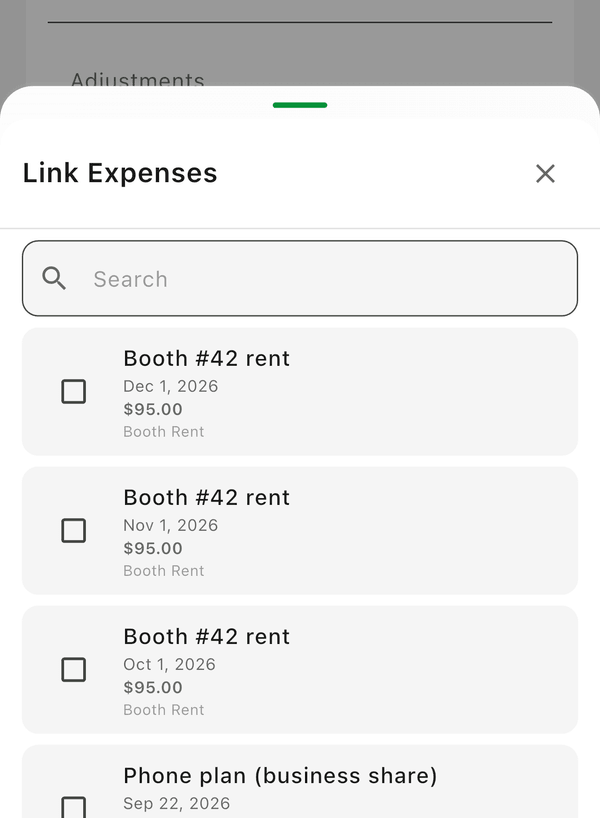
- Linked Expenses -- Additional expenses attached to the item (supplies, cleaning, repairs, authentication)
- Total Cost -- Sum of all costs
- Net Profit -- Gross Sale minus Total Cost
Understanding ROI and Profit Margin
Two key metrics Flippd calculates for every sale:
ROI (Return on Investment)
ROI = (Net Profit / Total Cost) x 100
ROI tells you how much profit you made relative to what you spent. An ROI of 200% means you made $2 for every $1 spent.
Example: You spend $10 total (item + fees + shipping) and make $20 net profit. ROI = (20/10) x 100 = 200%
Profit Margin
Profit Margin = (Net Profit / Gross Sale) x 100
Profit margin tells you what percentage of the sale price is actual profit. A 50% margin means half the sale price goes to you.
Example: You sell for $50 and make $25 net profit. Margin = (25/50) x 100 = 50%
What to Aim For
| Metric | Good | Great | Watch Out |
|---|---|---|---|
| ROI | 100%+ | 200%+ | Below 50% |
| Profit Margin | 30%+ | 50%+ | Below 20% |
These benchmarks vary by category. High-volume, low-cost items (like clothing) may have lower margins but higher volume. High-value items (like electronics) may have higher margins but slower turnover.
How Profit Flows Into Reports
Individual item profits aggregate into your reports:
- Daily Report: Total profit from all sales that day
- Monthly Report: Net Profit, Gross Revenue, COGS, Total Fees, Total Shipping
- YTD Report: Running totals for the current year
- Compare: Side-by-side profit comparison across years
- Category/Platform Breakdowns: Which categories and platforms are most profitable
Linked Expenses
Beyond the standard sale costs, you can link additional business expenses to specific inventory items:
- Supplies: Packaging materials, cleaning products
- Repairs: Cost to fix or refurbish an item
- Authentication: Fees paid for item verification
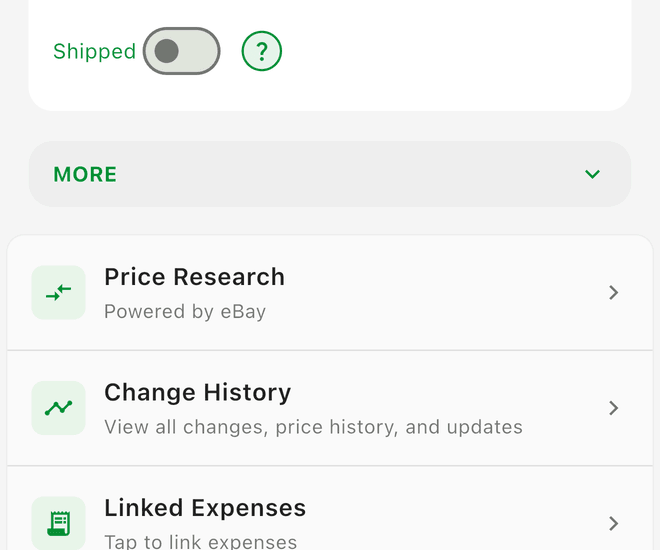
Linked expenses are subtracted from profit in the cost breakdown, giving you a true picture of what each item actually cost you. 
 ## Good to Know
- Platform fees are applied at the time of sale recording, not when you list the item
- If you change the platform on a sold item (by undoing and re-recording), the fees recalculate automatically
- Fee rates in Flippd are kept current but may not reflect very recent platform changes -- you can always override manually
- The Profit Calculator tool lets you run these calculations before you buy an item, so you can decide if it's worth sourcing