 Flippd Help
I deleted an item by mistake — can I get it back?
Yes — for 3 days. Deleted items move to a Deleted status rather than disappearing, and you can restore them from there. After 3 days they are permanently removed and cannot be recovered.
Restore a deleted item
- Go to your Inventory screen.
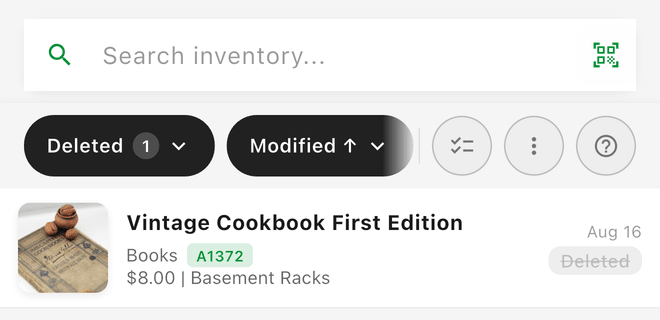
- Open the filters and choose Deleted to see recently deleted items.
- Open the item and tap Restore. The detail screen also shows the date it will be permanently deleted.
You can also swipe right-to-left on an item in the Deleted list to get a Restore option without opening it.
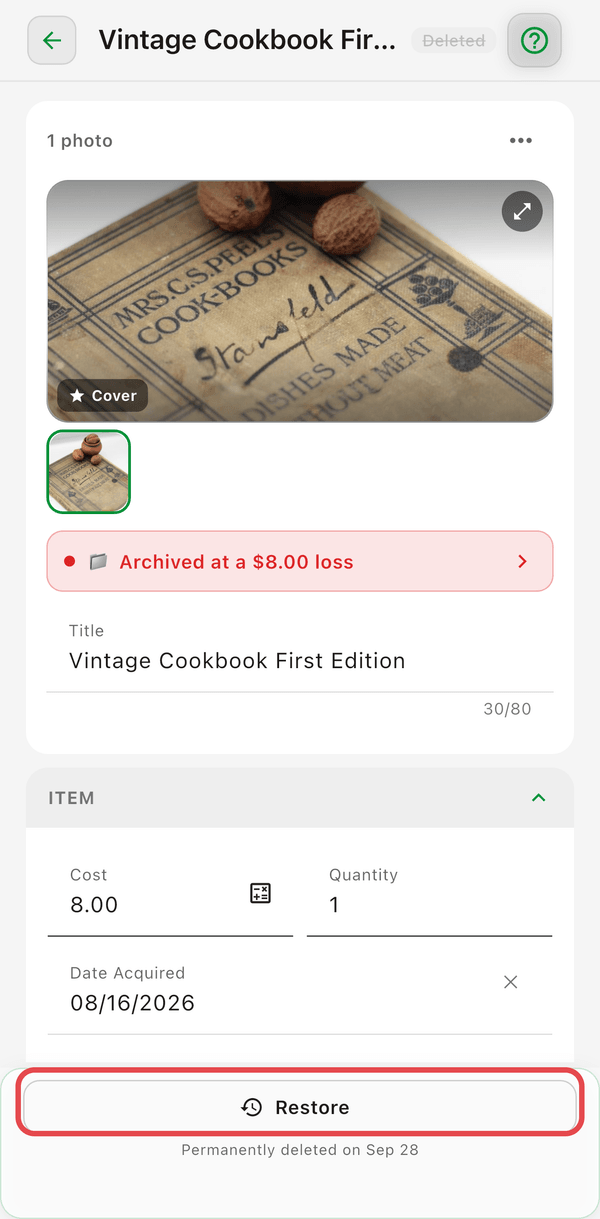
Restored items return to the status they had before you deleted them.
Good to Know
- Deleted items never count as a loss -- they're left out of your reports entirely. To record an item as a loss, Scratch it instead.
- There's no way to permanently remove a Deleted item early. It stays in the Deleted list, restorable, until its 3 days are up.
- Bulk-deleting items that are already Deleted restarts their 3-day clock.
This is different from deleting your account
Deleting an item is recoverable for 3 days. Deleting your account is not the same thing — that removes all of your data and cannot be undone. See How do I delete my account, and what happens to my data?.
Cancelling your subscription is different again: cancelling never deletes anything.