 Flippd Help
How do I delete my account, and what happens to my data?
To delete your account, go to Settings, scroll to the bottom, and tap Account Deletion. This permanently removes all your data and cannot be undone.
Step-by-Step
- Go to Settings (tap the gear icon in the top right)
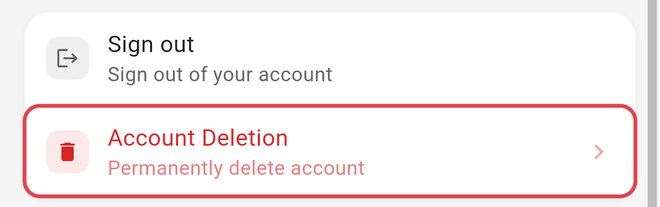
- Scroll to the bottom and tap Account Deletion (just below Sign out)
- Review the counts of data that will be deleted and tick the three confirmations: I have exported my data (if needed), I have cancelled my subscription, and I understand this action is permanent
- Tap Continue to Delete Account
- Confirm with Yes, Delete all data
Warning: This permanently deletes all your inventory, sales, expenses, receipts, mileage logs, and account data. This action cannot be undone.
If you're currently working in someone else's shared account, the app asks you to switch back to your own account first -- you can only delete your own account.
What Gets Deleted
Deleting your account removes your inventory, expenses, goals, saved mileage records, bulk purchases, and Coach conversations; the account and all of its data; every photo, receipt, and logo file in storage; your user record and subscription record; your support contact; and your login itself.
If the account has more than one owner, only your login and access are removed -- the shared account and its data stay for the other owners.
Trips On Your Device
Automatically tracked trips work differently from everything above, because they were never on our servers in the first place.
When auto tracking records a drive, that trip stays on the phone that recorded it. The GPS trace never reaches Flippd -- that is deliberate, and it is how we keep your location private. A trip only reaches your account once you classify it as business (or one of your own auto-classification rules does), and even then we save the date, distance, and stops by name rather than the route you drove.
What that means at deletion time: device-only trips cannot be carried over to a new or different account, and support cannot recover them for you, because we never had them.
Classify any trip you still need as business before you delete. Once classified it becomes a mileage record on your account and exports normally.
Before You Delete
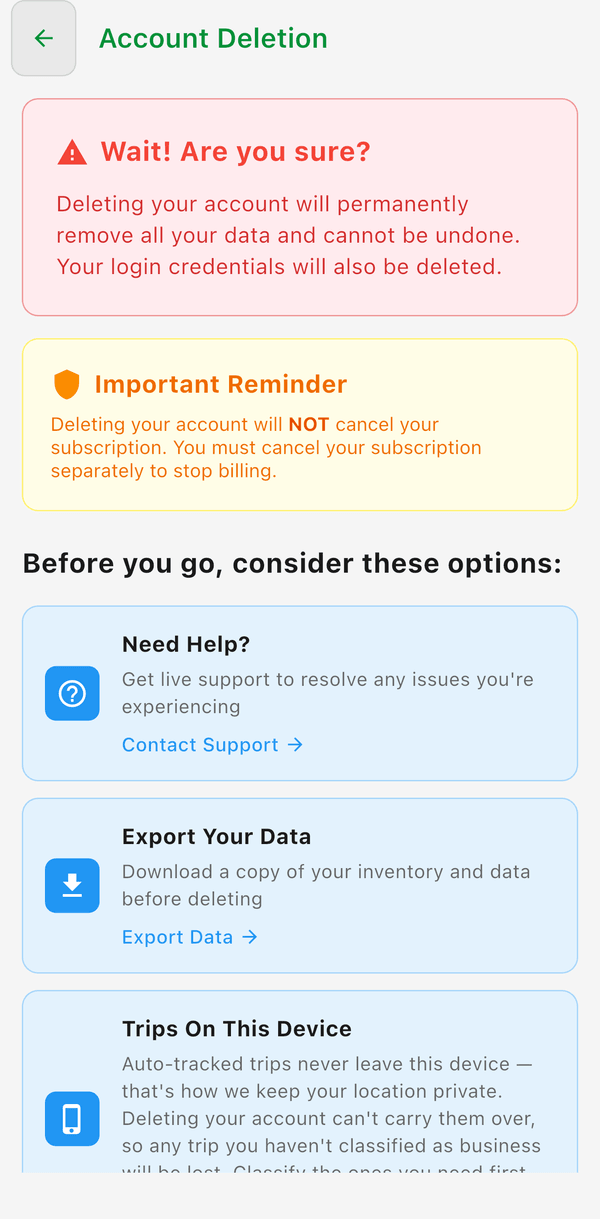
- Export your data first if you want to keep a copy (Tools > Import/Export > Export)
- Cancel your subscription to stop future billing. App Store and Google Play subscriptions are cancelled through that store; a web subscription is cancelled from Settings > Subscription > Cancel Subscription, which opens our billing portal
Cancellations - Please note, Flippd staff cannot cancel subscriptions for you. The Account Deletion screen itself warns: "Deleting your account will NOT cancel your subscription. You must cancel your subscription separately to stop billing." Cancel through the App Store or Google Play subscriptions in your device settings, or through Settings > Subscription if you subscribed on the web.
Data Privacy
Your data is important to us:
- Your data is encrypted and stored securely
- We never sell your personal information
- You can export all your data anytime
- You can request account deletion at any time
- View our full privacy policy at getflippd.com/privacy-policy
Inactive Accounts
Accounts that have data are kept for at least 12 months of inactivity. Empty accounts that never subscribed may be removed after 90 days of inactivity. Active subscribers are never affected.
- Signing in keeps your account active -- that's all it takes
- You can export your data at any time (Tools > Import/Export > Export)
- Active subscribers are never affected
- After deletion, we keep only your email address so we can let you know about Flippd in the future. Every email has an unsubscribe link, and we'll remove your address on request.
Good to Know
- Account deletion is permanent -- there is no recovery
- Canceling your subscription is different from deleting your account. Canceling keeps your data saved.
- If you just want to take a break, cancel your subscription instead -- your data will be waiting when you come back