 Flippd Help
How do I get help and contact support?
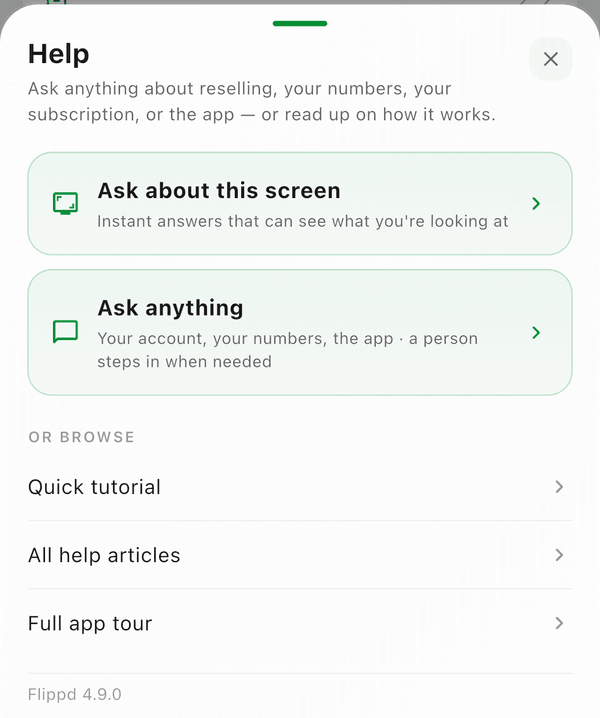
To get help, tap the ? Help icon in the header of any screen, then Get help. You'll find the help center, live chat, your support tickets, and email support, plus the full app tour and the Flippd blog.
Support Options
Help Center
Browse help articles organized by topic. The AI assistant (Finn) can also answer your questions directly.
Live Chat
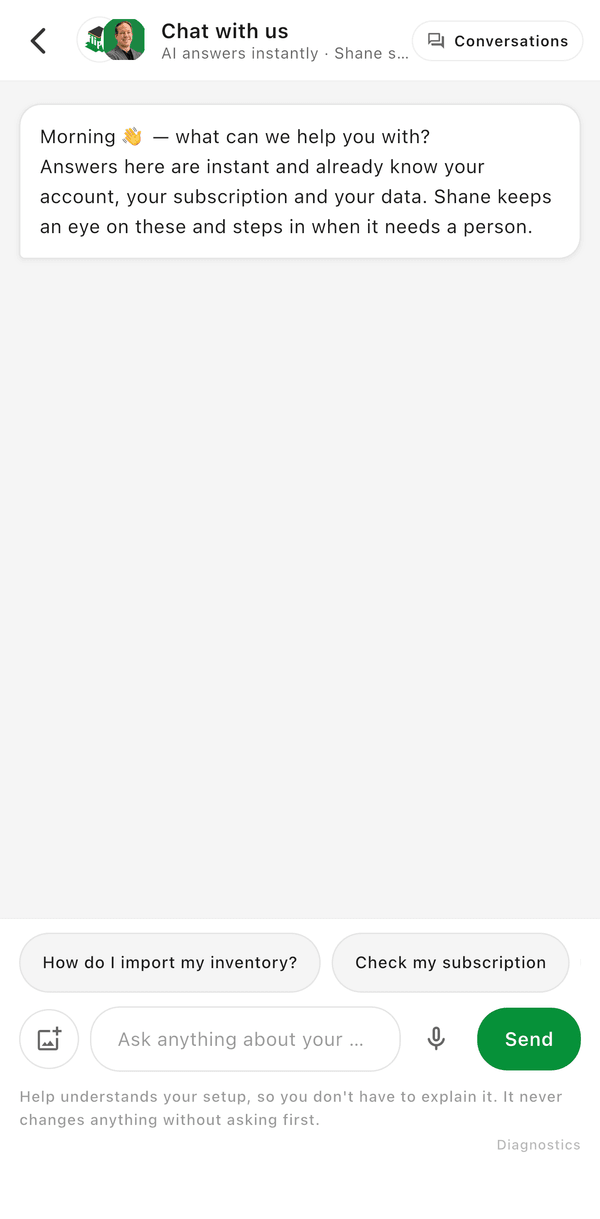
Tap Live Chat to message our support team in real time. We typically respond within 24 hours. Live Chat is also the place for feedback and feature requests.
My Tickets
Tap My Tickets to view and track the support tickets you've opened.
Email Support
Tap Email us for support, or email us directly at support@getflippd.com for any issue. Include as much detail as possible to help us help you faster.
Resources
Full App Tour
Tap Full app tour to restart the guided walkthrough of every major screen.
Blog
Tap Flippd Blog to read tips, strategies, and reselling advice on the Flippd blog.
Subscription
Having billing or subscription issues? Open Settings (the gear icon in the header) and tap Subscription to view your plan, restore purchases, or manage billing.
Send Feedback
Have a feature request or suggestion? Use Live Chat -- it's for questions, feedback, and support -- to share your ideas directly with the team.
Good to Know
- The Help Center and Live Chat are powered by Intercom
- Live Chat is the fastest way to get a response
- Include screenshots when reporting issues to help the team diagnose faster