 Flippd Help
How do I use the in-app tour to learn Flippd?
Flippd includes interactive guided tours that walk you through each screen's features. You can take the Full app tour for an overview, or tap the ? help button on any screen and choose View quick tutorial for a focused walkthrough of that screen.
Full App Tour
The Full app tour walks you through the entire app from start to finish:
- New accounts see a one-time prompt to start the tour once you've added your first item, or
- Tap the ? help button in the header, choose Get help, then Full app tour -- or tap New to Flippd? Take the quick tour in the Coach checklist on Home
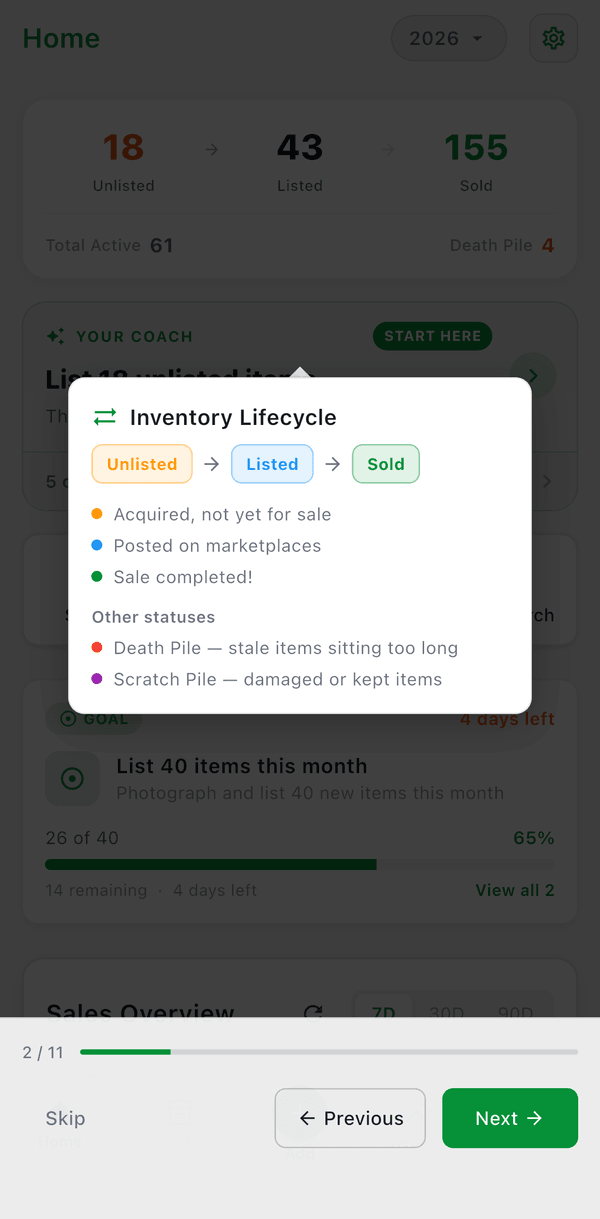
- Follow the highlighted steps as the tour guides you through each major screen
The full tour covers: Home dashboard, Your Coach, Inventory, Storage Locations, Reports, Storefronts, and the Tools menu features.
View Quick Tutorial
Most screens have a View quick tutorial option that gives you a focused tour of just that screen:
- Tap the ? help button on the screen to open Help Options
- Choose View quick tutorial to start a screen-specific tour
- The tour highlights key features and explains what each element does
Available Screen Tours
Tours are available for:
- Home -- Dashboard counters, charts, and navigation
- Your Coach -- The daily briefing and chat
- Inventory -- Search, filter, add items, and item details
- Item detail -- The fields and actions on a single item
- Reports -- Report types and how to read them
- Tools menu -- Overview of all additional features
- Expenses -- Adding and managing expenses
- Mileage -- Trip tracking and mileage logging
- Mileage rates -- Setting your per-mile rate
- Goals -- Creating and tracking goals
- Storage -- Managing storage locations
- Storefronts and Storefront editor -- Building a public catalog for in-person sales
- Bulk purchases, Bulk purchase detail, and Manifest import -- Tracking pallets and lots
- Proof of purchase -- Receipts kept on file
- Labels -- Creating and printing labels
- Import/Export -- Importing and exporting data
- Profit Calculator -- Using the calculator
- Death Pile -- Managing unlisted items acquired 30+ days ago
- Inventory Aging -- Reading the aging report
- Settings -- Configuring your account
- Business profile -- How you sell and your business country
- Customize Data -- Managing platforms, categories, and sources
- Inventory Display -- Customizing the inventory list
- Custom Fields -- Adding custom fields
- SKU Settings -- Configuring SKU numbers
- Members -- Inviting team members to your account
Good to Know
- Tour completion is tracked locally -- you won't see the same tour twice unless you restart it
- Tours use spotlight highlights and tooltips to point out specific UI elements
- You can exit a tour at any time and resume later
- Screen tours are independent -- completing one doesn't affect others
- On web, the ? help button also lists Keyboard Shortcuts