 Flippd Help
How do I set up recurring expenses for subscriptions and rent?
To set up a recurring expense, add an expense as usual, set Repeat to how often it recurs, and pick an End Date. Flippd creates every occurrence up to that date right away.
Step-by-Step
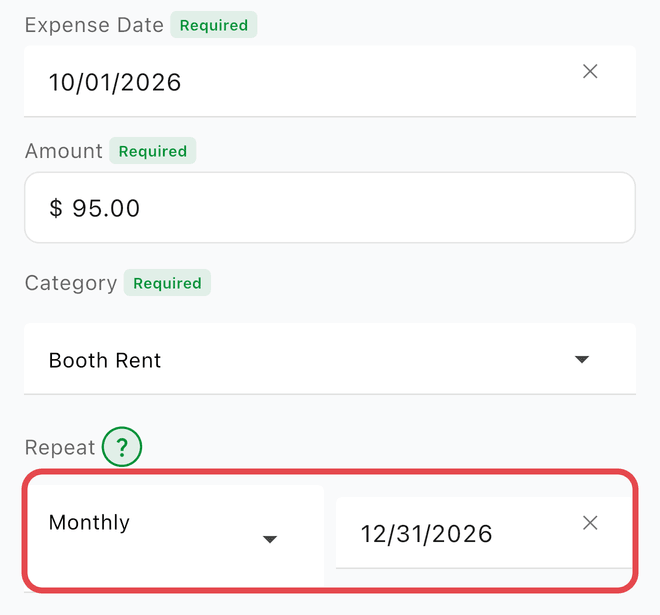
- Open the Expenses tab
- Tap + to add a new expense
- Fill in the details (title, amount, category)
- Set Repeat to the frequency:
- Weekly
- Monthly
- Yearly
- Pick an End Date -- it defaults to December 31 of the expense's year
- Tap Save
Flippd creates every occurrence between the expense date and the end date as soon as you save, so they all show up in your list and reports immediately.
Common Recurring Expenses for Resellers
- Monthly storage unit rent
- Software subscriptions (listing tools, accounting)
- Annual business license or seller permit fees
- Weekly shipping supply orders
Good to Know
- You can stop a recurring expense anytime by editing it and removing the repeat setting
- Each created expense can be individually edited if the amount changes
- When you delete an expense that's part of a series, Flippd asks whether to delete Only this expense or Delete this and all future expenses
- Use the Recurring filter on the Expenses screen to see only series expenses
- On the free plan, every occurrence in the series counts toward your expense allowance when you save it
- Recurring expenses are included in your reports and tax summaries