 Flippd Help
What expense categories are available and how do I use them?
Flippd organizes your expenses into categories that align with common tax deductions. Choose the right category when adding an expense for easier tax preparation.
Available Categories
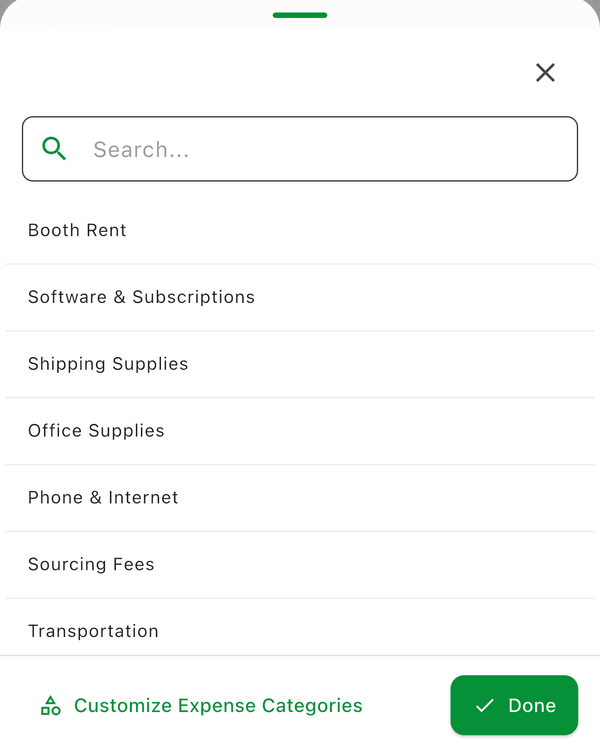
| Category | Examples |
|---|---|
| Inventory Purchase | What you paid for items you resell (cost of goods sold) |
| Shipping Supplies | Boxes, tape, poly mailers |
| Shipping Labels | Postage you pay to ship sold items |
| Platform Fees | eBay, Poshmark, Mercari selling fees |
| Equipment | Printer, scale, steamer, photo gear |
| Booth / Table Rent | Antique-mall booth, market table |
| Storage | Storage unit, shelving |
| Subscriptions | Listing tools, software, Flippd |
| Travel & Lodging | Hotels, flights for sourcing trips (not gas -- use mileage) |
| Other | Anything else business-related |
Good to Know
- Choose the most specific category that fits -- it makes tax preparation easier
- Your accountant will appreciate having expenses pre-categorized
- You can customize expense categories in Settings > Customize Data > Expense Categories
- There is deliberately no "Gas" category: actual car costs can't be deducted on top of the standard mileage rate Flippd already tracks, so log driving as mileage, not as a gas expense -- see How do I track business mileage for tax deductions?
- When you scan a receipt, Flippd suggests a category from your own list
- For US businesses, each category is mapped to a line on IRS Schedule C -- see How do I map my expense categories to IRS Schedule C lines?