 Flippd Help
How do I sign out of Flippd?
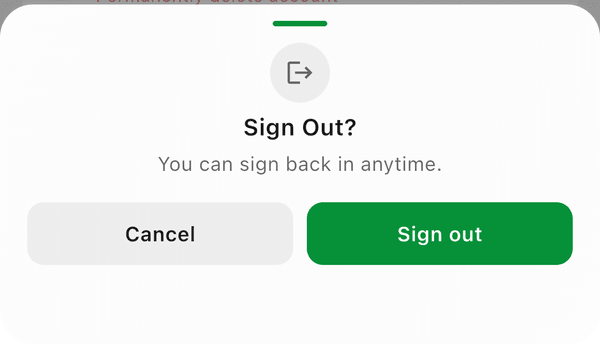
To sign out, go to Settings and tap the Sign Out button. You'll be asked to confirm before signing out. 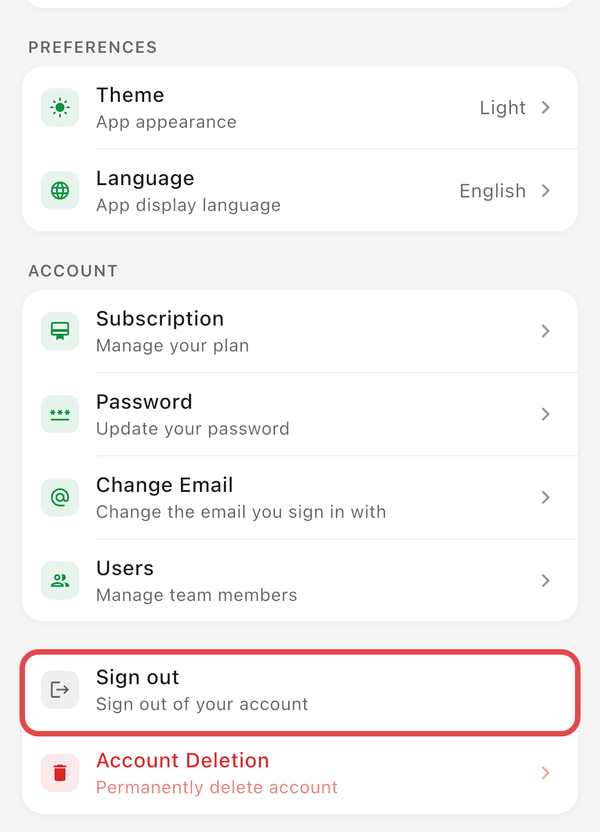
Step-by-Step
- Go to Settings (tap the gear icon in the top right)
- Tap the Sign Out icon (top right) or scroll to the sign-out option
- Confirm when prompted
You'll be returned to the sign-in screen.
Good to Know
- Signing out does not delete your data -- everything is saved in the cloud and will be there when you sign back in
- Sign out if you want to switch to a different account on the same device
- If you're troubleshooting sync issues, signing out and back in can help resolve them
- Signing out is different from canceling your subscription or deleting your account