 Flippd Help
How do I undo or reverse a sale?
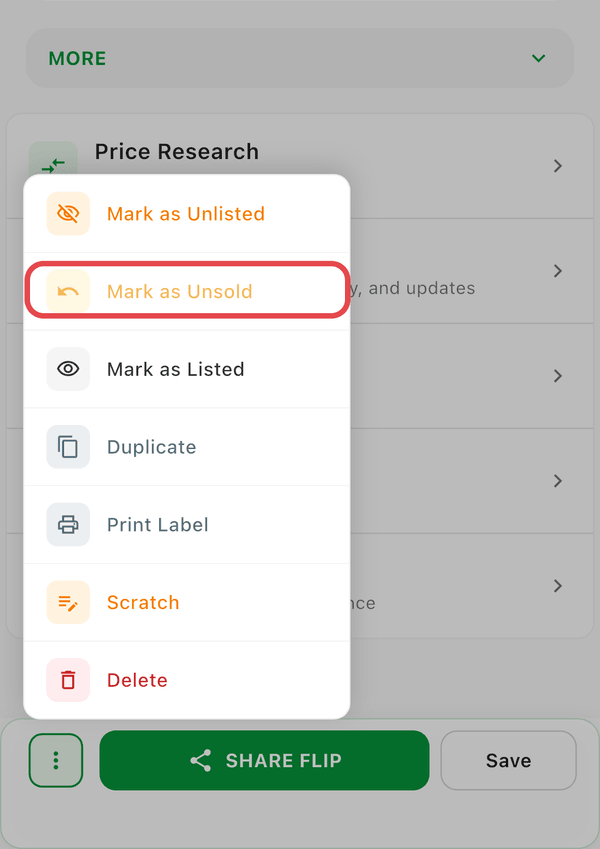
To undo a sale, open the sold item, tap the ⋮ (three dots) menu in the bottom bar, and select Mark as Unsold. The item returns to Listed status.
Step-by-Step
- Find the item in your Sold items (use the status filter)
- Tap the item to open its details
- Tap the ⋮ (three dots) menu in the bottom bar
- Select Mark as Unsold
The item returns to Listed status, its Date Sold is cleared, and the sale is removed from your reports.
Good to Know
- Undoing a sale also reverses the profit calculation and updates your reports
- Use this for returns, canceled orders, or if you recorded a sale by mistake
- Mark as Unsold only appears on items whose status is Sold
- The item keeps its listing details (platform, price) after undoing