 Flippd Help
How do Managed Goals and the AI goal engine work?
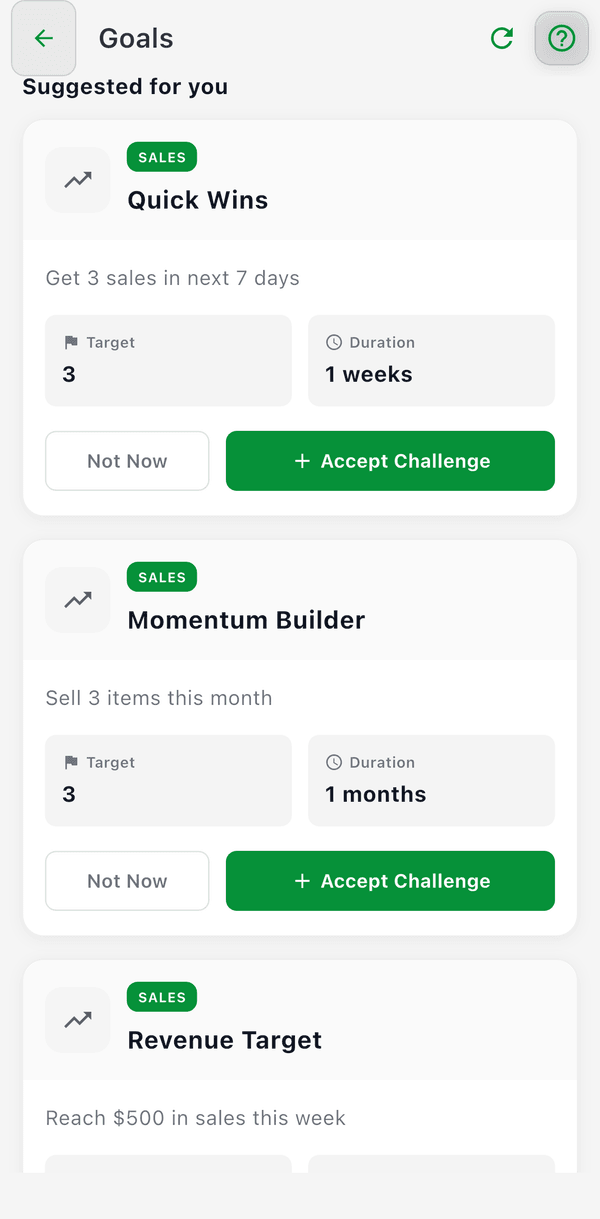
Managed Goals are goal templates that Flippd picks for you based on your activity. In the app they appear as challenges: you'll find them under Suggested for you on the Goals screen and take one on with Accept Challenge. Unlike Custom Goals, which you write and mark complete yourself, challenges use your real data to set achievable targets with difficulty levels and point rewards, and they track their own progress.
How It Works
Flippd's goal intelligence service analyzes your recent sales, inventory, and listing activity, then suggests goals that are relevant to where your business is right now.
The Suggestion Process
- Flippd checks your data -- Recent sales count, death pile percentage, listing activity, inventory age
- Filters relevant templates -- Only shows goals that make sense for you. For example, Death Pile goals only appear if your death pile is above 20%. Listing goals only appear if you have more than 10 unlisted items.
- Adjusts targets -- Difficulty-based multipliers scale the target values up or down
- Presents suggestions -- You see a curated list of challenges under Suggested for you, each with a clear target and deadline. Tap Accept Challenge to start one.
Smart Dismissal
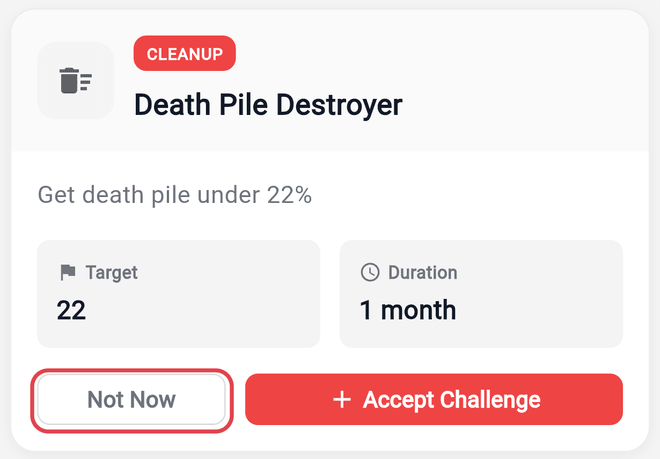
If you tap Not Now on a suggested challenge, Flippd remembers and won't show it again for 30 days. After that, it may resurface if it's still relevant to your situation.
Goal Categories
Managed Goals are organized into five categories, each targeting a different aspect of your reselling business:
Sales
Focus on making more sales and generating revenue.
- Quick Wins (Easy) -- Get 5 sales in 7 days. A short sprint to build momentum.
- Momentum Builder (Medium) -- Sell 20 items in a month. Sustain a consistent pace.
- Revenue Target (Medium) -- Reach $500 in sales in a week. Focus on higher-value items.
Death Pile
Reduce aging inventory that's been sitting too long.
- Death Pile Destroyer (Hard) -- Get your death pile under 20% of active inventory.
- Age Optimizer (Medium) -- Reduce your average inventory age by 30 days.
- Quick Turnover (Medium) -- Sell 10 items that are over 90 days old.
Inventory Health
Improve the overall balance and quality of your inventory.
- Stock Balance (Easy) -- Keep your active inventory balanced across categories.
- Listing Champion (Easy) -- List 10 unlisted items per week. Turn inventory into listings.
- Category Clean-up (Medium) -- Sell 15 items from your largest category.
Efficiency
Work smarter with better margins.
- Profit Margin Master (Hard) -- Achieve a 50% average profit margin across your sales.
Consistency
Build a daily selling habit.
- Consistency King (Hard) -- Make at least 1 sale per day for 7 consecutive days.
Difficulty Levels
Each Managed Goal has a difficulty level that affects the target and reward:
| Difficulty | What It Means | Point Reward |
|---|---|---|
| Easy | Achievable for most sellers with moderate effort | 10-15 points |
| Medium | Requires focused effort and consistency | 20-25 points |
| Hard | Challenging targets that push your limits | 30-35 points |
Difficulty also uses a tier multiplier system. As you progress, the same goal template can scale up:
- Tier 1: Base target (1.0x)
- Tier 2: 1.66x harder
- Tier 3: 2.76x harder
- Tier 4: 4.58x harder
- Tier 5: 7.6x harder
Each tier is roughly 66% more challenging than the previous one.
Progress Tracking
Managed Goals track progress automatically based on your activity. No manual updates needed.
What Gets Measured
| Goal Type | What's Tracked |
|---|---|
| Sales count goals | Number of items sold in the time period |
| Revenue goals | Total gross sales amount |
| Death pile goals | Percentage of inventory that's 90+ days old (the challenge engine uses its own 90-day window here; the Death Pile counter elsewhere in the app uses Unlisted items acquired 30+ days ago) |
| Listing goals | Number of items moved from Unlisted to Listed |
| Old items sold goals | Number of 90+ day old items that were sold |
How Progress Updates
- Progress checks happen when you record a sale, list an item, or perform other relevant actions
- Multiple goals update in parallel for speed
- Results are cached for 60 seconds to avoid overloading queries
- If the primary search engine is unavailable, Flippd falls back to direct database queries
Completion
When your progress reaches 100%, the goal is marked complete. You receive:
- The point reward for that goal
- A celebration screen
- An achievement record in your profile
Managed Goals vs Custom Goals
| Feature | Managed Goals (Challenges) | Custom Goals |
|---|---|---|
| Who sets the target | Flippd suggests based on your data | You write your own goal and target date |
| Difficulty levels | Easy, Medium, Hard with scaling | No difficulty rating |
| Point rewards | 10-35 points per goal | No points |
| Relevance filtering | Only shows goals relevant to you | Any goal you want |
| Templates | 11 pre-built templates | Unlimited, fully custom |
| Tracking | Automatic | Self-managed -- tap Mark Complete when you're done |
You can have both managed and custom goals active at the same time.
Good to Know
- Managed Goal suggestions refresh as your data changes -- sell down your death pile and those goals disappear from suggestions
- Points accumulate over time and reward consistent effort
- The AI doesn't penalize you for failing a goal -- you can always try again
- Goal progress is visible on the Goals screen with real-time progress bars