 Flippd Help
What are suggested goals and how does the AI pick them?
Flippd suggests challenges based on your recent activity. Check the Suggested for you section on the Goals screen to see recommendations picked from your own numbers.
How It Works
Flippd starts from 11 pre-built challenge templates and filters them by your data:
- Your recent sales pace -- Sales in the last 7 days decide which sales challenges fit
- Your death pile -- Death Pile challenges only appear when more than 20% of your active inventory is in the death pile
- Your unlisted items -- Listing challenges only appear when you have more than 10 unlisted items
Targets are then scaled by a tier multiplier so the same template gets harder as you progress.
Where to Find Them
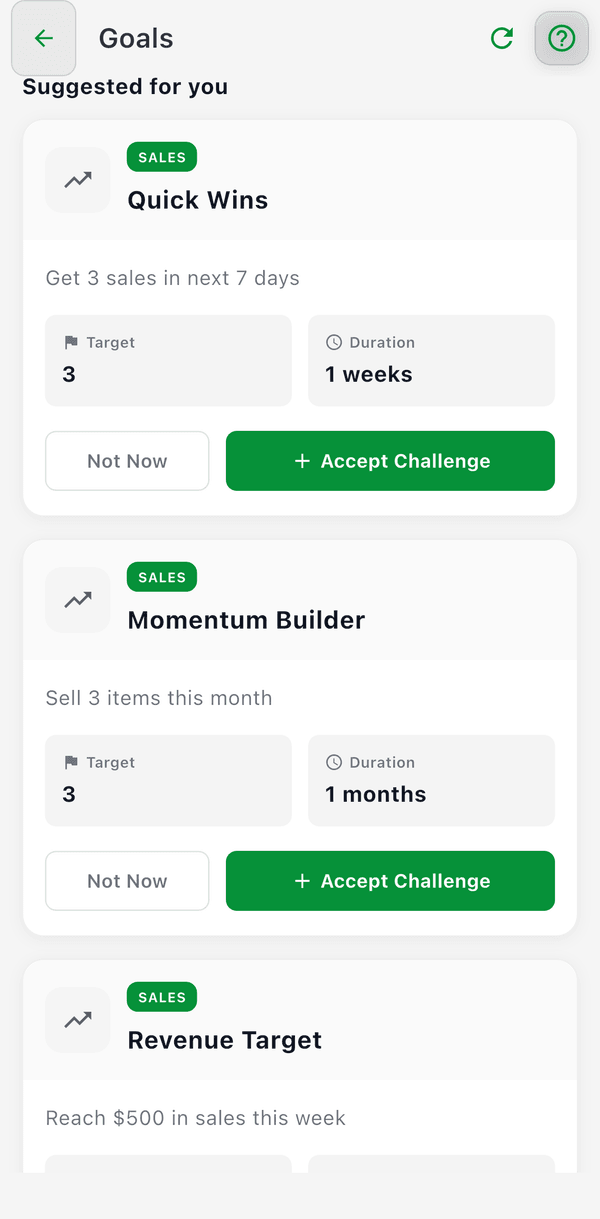
- Go to Tools > Goals (or tap Browse challenges on the Home goal card)
- Scroll to Suggested for you
- Browse the suggestions
- Tap Accept Challenge to take one on, or Not Now to hide it for 30 days
Good to Know
- Suggested challenges are optional -- you can always tap Add Goal to write your own custom goal
- Suggestions update as your activity changes
- Not sure where to start? Accepting a challenge is a great first step