 Flippd Help
What types of goals can I set?
Flippd supports two ways to set goals: Challenges (Managed Goals from pre-built templates that track automatically) and Custom Goals (anything you write down, which you mark complete yourself).
Challenges (Managed Goals)
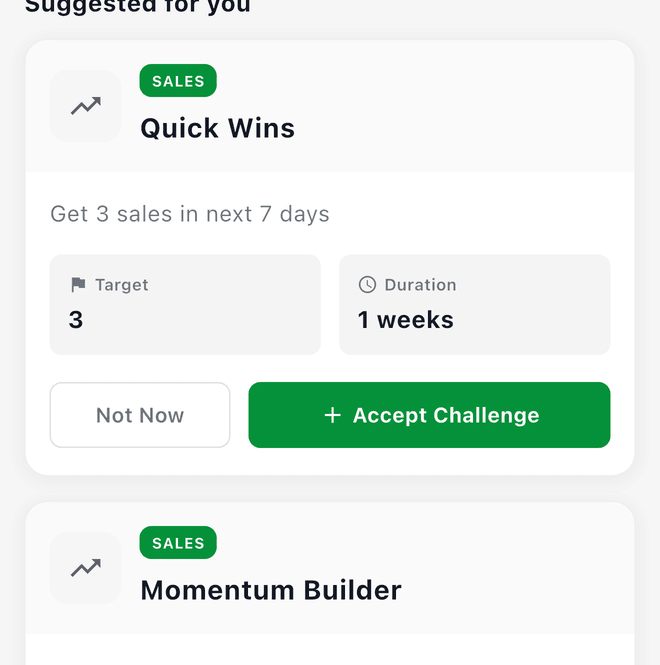
Challenges are pre-built templates that Flippd picks for you based on your activity. They appear under Suggested for you on the Goals screen with a CHALLENGE badge, and you take one on with Accept Challenge. Each comes with a target and difficulty level, and the card tracks your sales, revenue, or listings against it. Categories include:
- Sales -- Hit sales or revenue targets (e.g., "Get 5 sales in 7 days")
- Death Pile -- Reduce aging inventory (e.g., "Get your death pile under 20%")
- Inventory Health -- List unlisted items and keep your inventory balanced
- Efficiency -- Profit Margin Master: reach a 50% average profit margin
- Consistency -- Consistency King: make at least 1 sale a day for 7 days in a row
Each challenge has a difficulty level (Easy, Medium, Hard) and a set duration. Flippd adjusts targets based on your recent performance.
Custom Goals
Custom Goals are anything you type in -- "Sell 10 items this month", "Clear the garage shelf", "Hit $1,000 in sales" -- with a target date and optional notes. Tap Add Goal to create one.
Custom goals are self-managed: Flippd doesn't measure them for you. When you've achieved one, open it and tap Mark Complete.
Good to Know
- You can have multiple active goals of both kinds at the same time
- Only challenges track automatically -- custom goals need you to mark them complete
- Challenges include point rewards for gamification
- Custom goals give you full control over the wording and target date