 Flippd Help
How does Family Sharing work with Flippd?
If you subscribe to Flippd through the App Store on iOS, your subscription can be shared with family members through Apple Family Sharing.
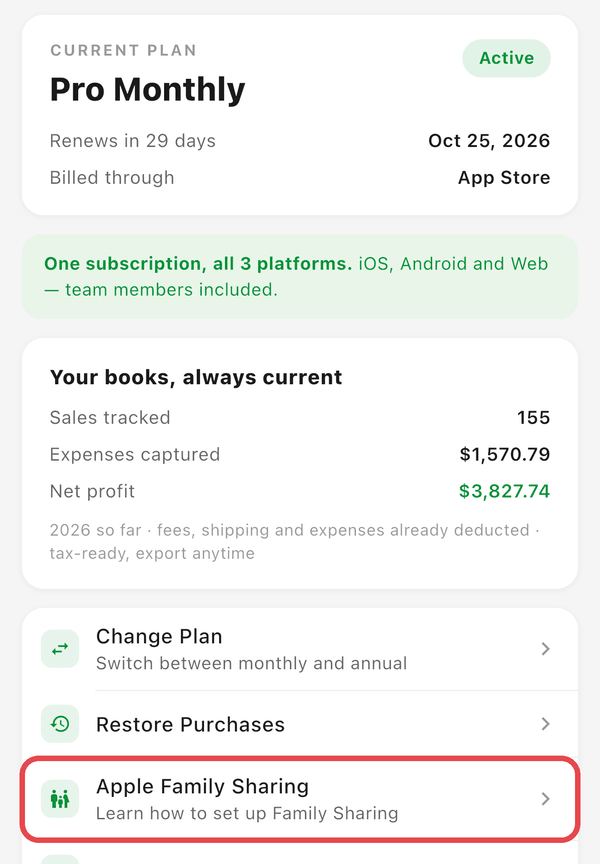
If the subscription organizer has Family Sharing enabled:
- Family members can download Flippd from the App Store
- Open the app and create their own account
- The subscription is shared automatically -- no separate purchase needed
More info: https://www.apple.com/family-sharing/
In the app, Settings > Subscription shows an Apple Family Sharing row ("Learn how to set up Family Sharing") when your subscription is active and was bought on the App Store.
What About Android?
Google Play does not support sharing subscriptions through Family Library, so a family member on Android needs their own Flippd subscription for their own separate account. If they're helping run your business, though, no second subscription is needed on any platform -- invite them to your account and they work under yours. See How do I manage my Flippd subscription through Google Play? for details.
Good to Know
- Each family member gets their own separate Flippd account with their own data
- Family Sharing only shares the subscription -- inventory, expenses, and reports are completely private to each account
- To work together in one account with shared inventory and reports, use team invites instead -- the people you invite don't need their own subscription
- Family Sharing settings are managed through your Apple device settings, not within Flippd
- The family organizer must purchase the subscription and have Family Sharing enabled for subscriptions