 Flippd Help
What is Apple's Hide My Email and how does it affect my Flippd account?
If you signed up for Flippd using Sign in with Apple and chose to hide your email, Apple creates a unique, randomized email address (like abc123@privaterelay.appleid.com) that forwards messages to your real inbox. Your Flippd account works normally -- there are just a few things to be aware of. 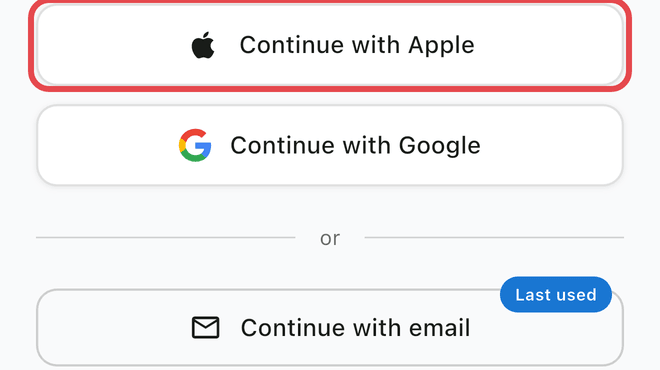
How Hide My Email Works
When you create an account with Sign in with Apple, you get two options:
- Share My Email -- Flippd sees your real email address
- Hide My Email -- Apple generates a random address like
dxr7k9m@privaterelay.appleid.comthat forwards to your real inbox
If you chose option 2, Flippd only sees the randomized address. Apple handles the forwarding behind the scenes -- emails from Flippd still reach your real inbox.
More info here: https://www.macrumors.com/how-to/use-hide-my-email-ios/
What This Means for You
Everything That Works Normally
- Signing in and out of Flippd
- Syncing data across all your devices
- All app features and functionality
- Receiving emails from Flippd (they forward to your real inbox)
Things to Be Aware Of
- Support requests: When you contact support, we see your private relay email. If you need us to look up your account, mention that you use Hide My Email so we can find you.
- Account recovery: If you need to recover your account, you'll need access to your Apple ID. We can't send a password reset to a private relay address directly.
- Multiple devices: Sign in with the same Apple ID on all devices to keep your account synced. The private relay email is tied to your Apple ID, not a specific device.
How to Check Your Email Setting
In Flippd: the profile card at the top of Settings shows Signed in with Apple instead of your relay address. Tap it to see the private relay address Apple created for you, along with a reminder to always use Sign in with Apple -- signing in with your email or Google opens a different, empty account.
On your device:
- Open Settings on your iPhone or iPad
- Tap your name at the top (Apple ID)
- Tap Sign-In & Security
- Tap Hide My Email
- You'll see all apps where you're using a private address, including Flippd
Can I Switch to My Real Email?
You can't change the email on an existing Sign in with Apple account within Flippd. However, you can:
- Check that forwarding is enabled (see above)
- Contact support if you need help identifying your account
Forwarding Not Working?
If you're not receiving emails from Flippd:
- Go to Settings > Apple ID > Hide My Email
- Find Flippd in the list
- Make sure forwarding is turned on
- Check that your forwarding email address is correct
If forwarding is off, emails from Flippd are silently dropped and never reach you.
Good to Know
- Hide My Email is an Apple feature, not a Flippd feature -- we can't control or change it
- Your private relay address is unique to Flippd. Other apps get different addresses
- If you delete and recreate your Flippd account with the same Apple ID, you'll get the same private relay address
- This feature requires an iCloud+ subscription or is included when signing in with Apple