 Flippd Help
How do bundles work and when should I use them?
A bundle is a single inventory item made up of multiple components. Use it when you've bought one thing that's really several items rolled together -- a mystery box, an estate lot picked up at one price, a multi-piece set -- and you want to track each piece's cost, title, notes, and resale value separately.
Turn It On
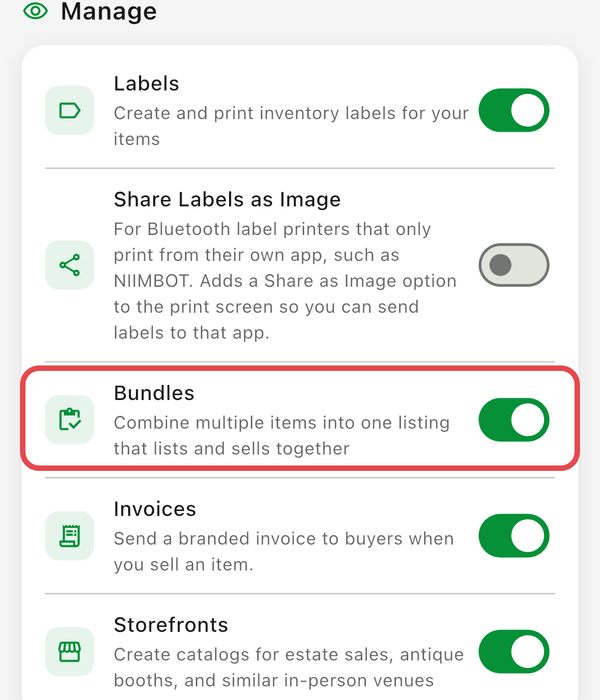
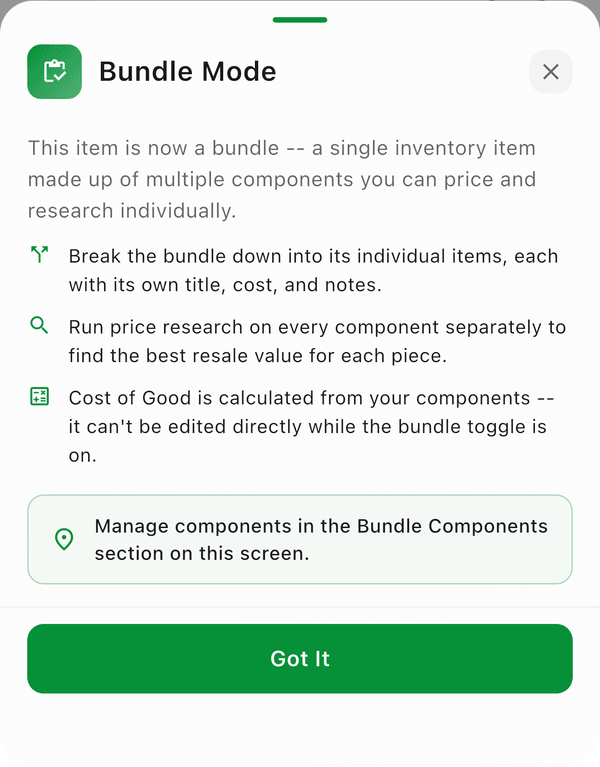
Turn on Settings > Feature Visibility > Bundles first -- the toggle only appears once that's on. Then open any inventory item and flip the Bundle toggle near the top of the detail screen. The first time you enable it on a device, an explainer sheet appears so you know what to expect. Flipping the toggle on asks Convert to bundle? (the cost will be recalculated from the components you add); flipping it off asks Demote to standard item?.
When the toggle is on:
- The item becomes a bundle wrapper -- the parent record
- A Bundle Components section appears where you add the individual pieces
- The Cost of Good field is locked and shown as "from components" -- the bundle's cost is the sum of its components' costs
Turning the toggle back off demotes the bundle. Components return to your inventory as standalone Unlisted items.
What You Can Do With a Bundle
Break it into components
Tap Add Component in the Bundle Components section. Each component has its own:
- Title
- Cost
- Source
- Notes
- Quantity
This lets you split a $200 estate-sale lot into the eight individual pieces you actually got, with whatever cost split makes sense.
Run price research on each piece
Every component has a Research price action. Run price research per component so you can find the best resale value for each piece without lumping them together. This is the main reason to use bundles instead of just stuffing everything into one item's notes.
See the bundle's total cost
The bundle's Cost of Good is automatically the sum of all component costs. Edit a component → the bundle's cost updates.
Bundles vs. Bulk Purchases
These are different features that solve different problems. Use the right one:
| Feature | What It Is | When To Use |
|---|---|---|
| Bundles | One inventory item broken into multiple components -- sold as one record | A mystery box, multi-piece set, or lot where you want per-component price research but the bundle is still one inventory record |
| Bulk Purchases | A parent purchase record that links many separate inventory items | A pallet or wholesale lot where each item becomes its own inventory record and you want combined cost/ROI tracking across them |
Rule of thumb: if you'd ever sell the components separately and want each tracked as its own listing, use Bulk Purchases. If the whole thing is one listing but you want internal breakdown and price research per piece, use Bundles.
Bundles and Proof of Purchase
If you have a receipt for the entire lot or mystery box, attach it to the bundle item using Proof of Purchase. The receipt is informational and never affects profit -- the bundle's actual cost still comes from the components you enter.
Good to Know
- The Bundle toggle is hidden until you turn on Settings > Feature Visibility > Bundles
- Cost of Good is read-only on a bundle -- always derived from components
- Demoting a bundle returns components to inventory as Unlisted items; the wrapper is removed
- Bundles are recorded as a single sale when sold; per-component profit math comes from the cost split you set up