 Flippd Help
How do I connect my eBay account to Flippd?
To connect eBay, go to Settings > Integrations > eBay > Connect and sign in with your eBay account. eBay will ask you to authorize Flippd, then you'll be returned to the app to run your first import.
Anyone can connect eBay and see a free 90-day preview of their sales. Importing listings and keeping them in sync requires an active Flippd subscription — no sign-up or access request needed.
Step-by-Step
- Open the Integrations screen (Settings > Integrations)
- Tap eBay, then Connect
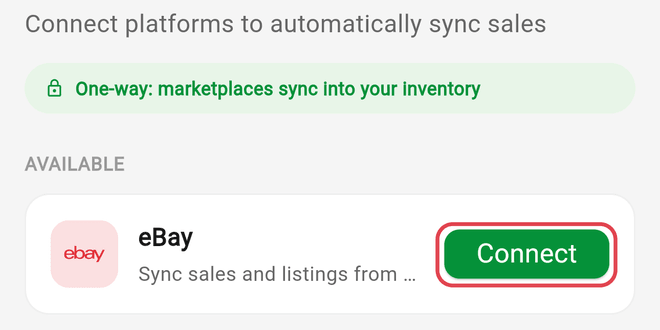
- Sign in on eBay's official login page and tap Agree — Flippd never sees your eBay password
- Back in Flippd, choose what to import: a Date Range (30 Days, 90 Days, 6 Months, 1 Year, or 2 Years — the default), which Listing Status to bring in (Active and Sold are pre-selected; Ended and Unsold are optional), and whether to use AI suggested matches
- Tap Sync eBay to run the first import
If You're Not a Subscriber Yet
You can still connect. After you sign in on eBay, Flippd shows a read-only preview of your last 90 days on eBay — gross sales, orders, average sale, sales pace, active listings, and sales by month — straight from your eBay account. Nothing is imported into your inventory, and the preview doesn't include profit, fees, per-item history, or anything beyond that 90-day window. Subscribe to import your listings and keep them syncing.
Good to Know
- Connecting is free; importing and ongoing sync require an active Flippd subscription.
- Only the account owner can connect or disconnect an integration — team members see the connection status (Owner only).
- The import brings in up to 2 years of history with real sold prices, plus actual eBay fees and shipping label costs on recent sales and everything going forward. See How much eBay history does Flippd import?
- Large stores can take a while on the first import. It runs on our servers — you can leave the screen and check back.
- The first import matches your eBay listings against your existing Flippd inventory before anything is created — see How does the eBay import match my existing inventory?
- On the eBay screen you can pick an Import review mode — Smart (recommended), Review everything, or Fully automatic — and an Auto-link confidence level for automatic matches.
- Tip for existing inventories: before your first import, set each eBay listing's SKU to the item's Flippd SKU or Stock Number. Matching identifiers link automatically, so nothing needs manual review.
- The sync writes the eBay Custom label into the item's Flippd SKU on every sync; Stock Number, cost, notes, and custom fields are never touched — see What does eBay sync update — and what does it never touch?
- After connecting, Flippd picks up eBay changes as they happen and does a full refresh once a day, checking less often for quiet stores. You can tap Force sync now on the eBay screen at any time.
- The sync is one-way: Flippd reads from eBay and never changes anything in your eBay store.