 Flippd Help
How do I track my Whatnot sales in Flippd?
Flippd doesn't sync with Whatnot automatically, so Whatnot sales go in one of two ways. If the items are already in Flippd, mark them Sold (one at a time or several at once). If they were never in Flippd, import your Whatnot sales report. Don't do both. Importing a report for items you already have creates duplicates, because the import doesn't match rows to existing items.
Items Already in Flippd: Mark Them Sold
Use this if you added the items earlier, for example from an eBay import, a bulk purchase, or by hand.
- On the Inventory screen, tap the checklist icon to enter bulk edit mode
- Select the items that sold on Whatnot (they need to be Listed)
- Tap Mark Sold
- Adjust each sale price to what the item actually sold for
- Pick Whatnot as the platform and confirm
For a single item, open it and tap Mark as Sold, then pick Whatnot as the platform.
Items Not in Flippd Yet: Import Your Whatnot Sales Report
Use this for past Whatnot sales you never tracked in Flippd.
- Download your sales report from Whatnot as a CSV
- Add a Cost column with what you paid for each item. Whatnot's report doesn't know your cost, and without it your profit will look too high
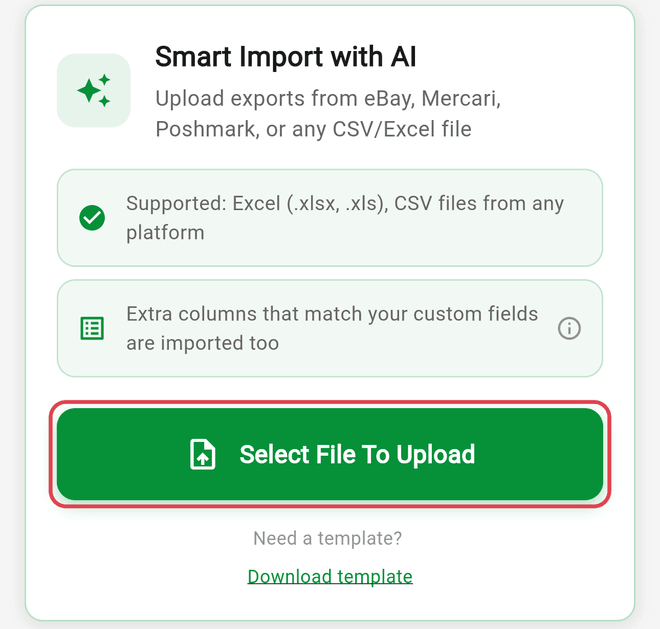
- In Flippd, go to Tools > Import / export and tap Select File To Upload
- Check the counts. Rows with a sale date and a sale amount import as Sold
- Tap IMPORT
Each row becomes a new sold item. See How do I import inventory from a CSV or spreadsheet? for file limits and how columns are matched.
Set Up Whatnot's Fees First
Whatnot is a built-in platform, but it doesn't come with a fee. So your profit is right, add Whatnot's fee before you record sales: go to Settings > Customize Data > Platforms, open Whatnot, and enter the fee percentage and any fixed or processing fee. See How do I customize my selling platforms, categories, and sources?.
Bought a Lot or Bundle on Whatnot?
To track something you bought on Whatnot, go to Tools > Bulk purchases, tap Add Bulk Purchase, and choose Add Photo & Create to attach a photo of your Whatnot invoice. Then add the items and split the cost across them. See How do I track bulk purchases and liquidation lots?.
Good to Know
- eBay is the only marketplace Flippd syncs with automatically. Whatnot's seller API is only open to approved partners.
- Flippd never lists items on Whatnot for you. See Does Flippd list my items on eBay, Whatnot, Poshmark, or Mercari?
- An import can't be undone. If you imported sales for items that were already in Flippd, find the new duplicates with search and filters, select them in bulk, and delete them.