 Flippd Help
How do I use Snap Decisions to decide whether to buy an item?
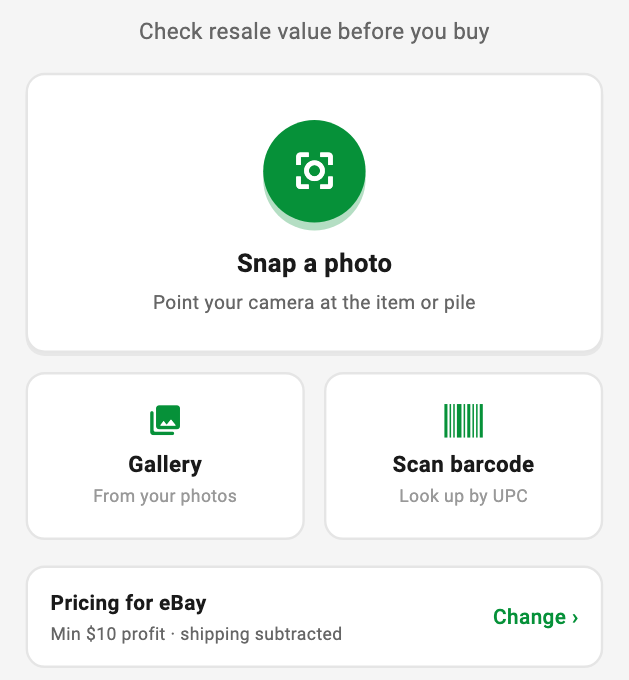
To get a quick buy-or-pass read while you're sourcing, open Tools > Source an item (or Snap Decisions from the Add menu), snap a photo of the item or a whole pile, and Flippd shows what you'd keep after fees and shipping, plus the most you should pay. Snap Decisions is in the Flippd app from version 4.11.
Step-by-Step
- Open Tools and tap Source an item, or choose Snap Decisions from the Add menu
- Tap Snap a photo and point your camera at one item or a pile. You can also pick a photo from your Gallery or Scan barcode to look an item up by its UPC
- Flippd identifies what's in the photo and checks active eBay listings for each item
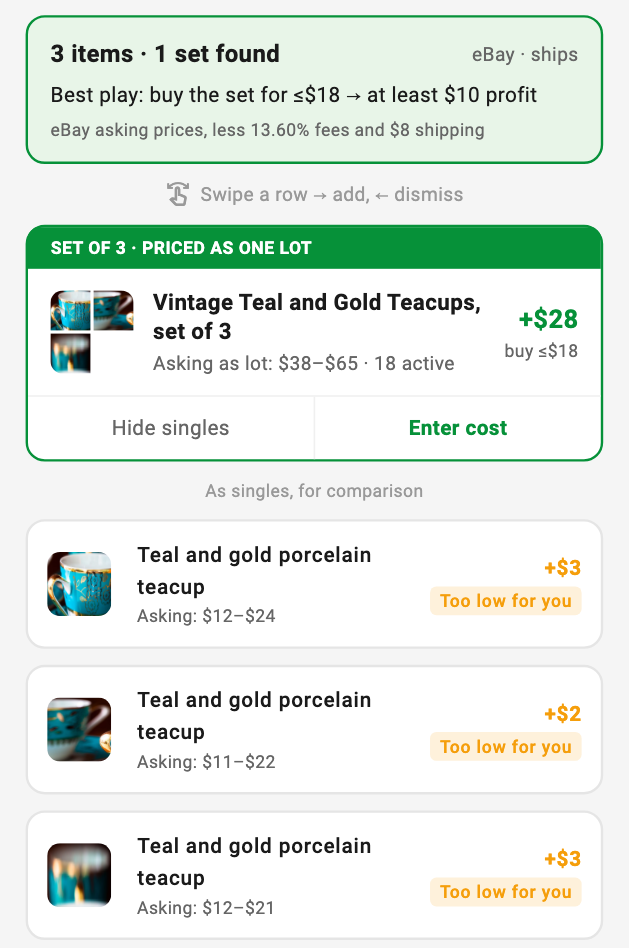
- Each item gets a profit figure and a tag: Buy, Too low for you, or Loses money
- Tap an item and enter Your cost to see the full breakdown, ROI, and a final verdict
- Tap Add to inventory to save it, then snap the next one
Matching Sets Are Priced as One Lot
When a photo shows a matching set, like three teacups from the same pattern or a set of dishes, Flippd groups them and prices the set as one lot using listings for the whole set. Sets often sell for more together than the pieces do on their own.
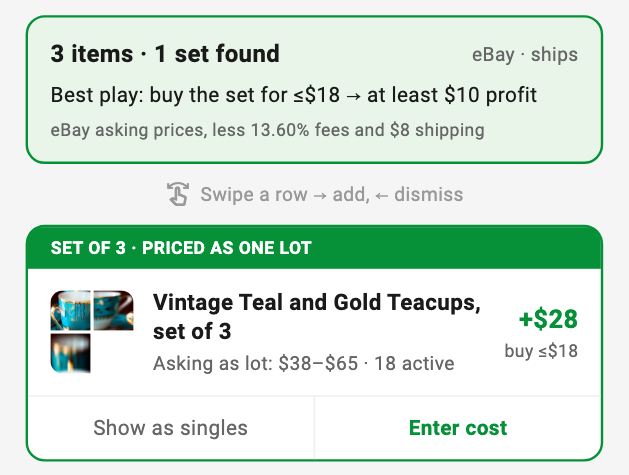
- The summary at the top shows the best play: the option worth buying, and the most to pay for it
- Show as singles lists each piece on its own, so you can compare selling them separately
- Add set · 3 items saves the whole set as one inventory item, with a photo cropped to the set
Reading the Breakdown
Tap Enter cost on a set (or tap any item) and type what you'd pay. Flippd walks through the money the way it actually moves:
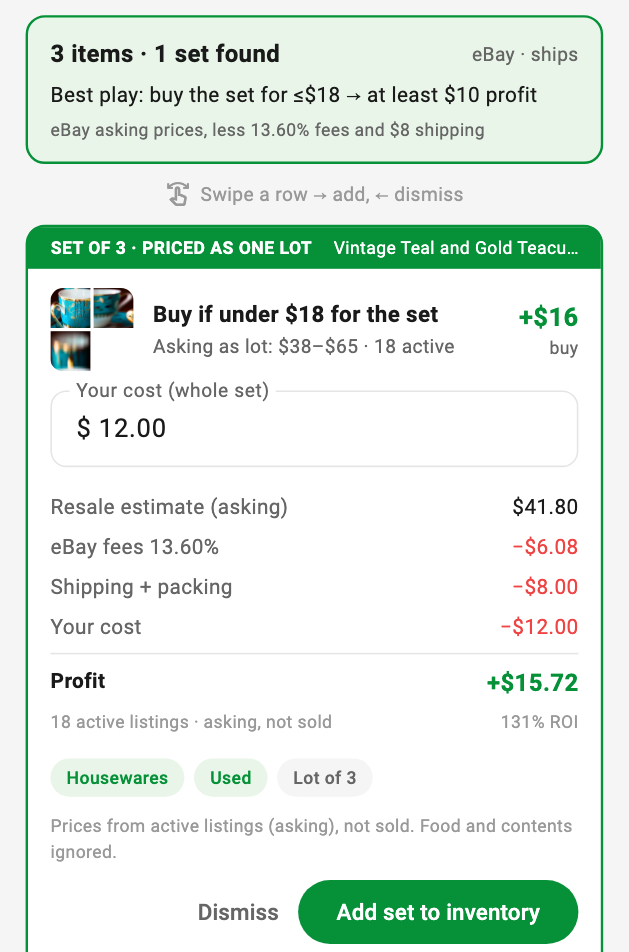
| Line | What it means |
|---|---|
| Resale estimate (asking) | A cautious resale price based on what similar items are listed for right now |
| Platform fees | The selling fees for the platform you price for, from your platform settings |
| Shipping + packing | Your shipping amount from Pricing preferences, or none if shipping is off |
| Your cost | What you entered |
| Profit | What you'd keep. Before you enter a cost, this is what you'd keep if the item were free |
Buy if under $X is the most you can pay and still make your minimum profit.
To check the estimate yourself, tap See the N listings used under the breakdown. It lists the eBay listings the price came from, cheapest first; tap any of them to open it on eBay.
If you type a cost that's far above the resale price, like $322 instead of $3.22, Flippd asks Did you mean $3.22? so a missed decimal point doesn't turn a good buy into a pass.
Set Your Pricing Preferences
Tap the sliders icon at the top of Snap Decisions, or Change next to the pricing profile, to open Pricing preferences. Every verdict uses these settings, and they're saved on your device.
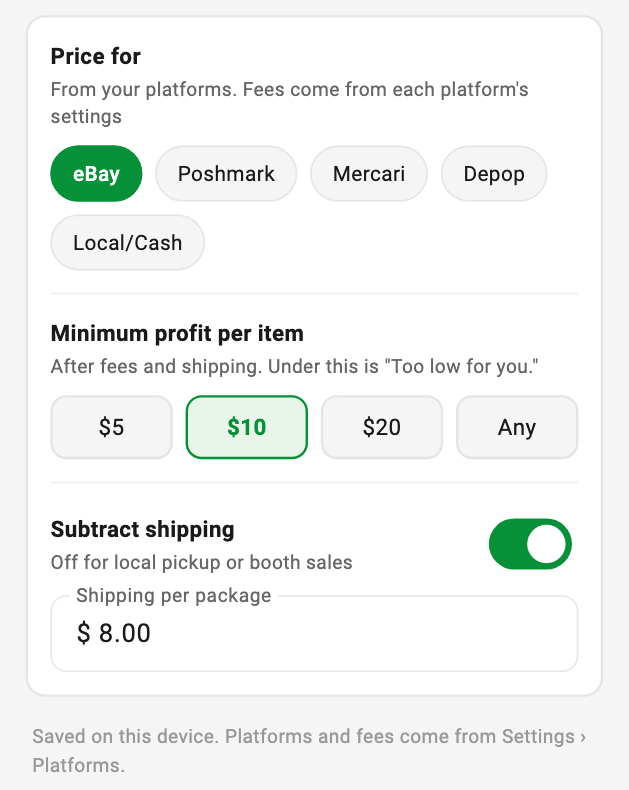
- Price for: the platform whose fees come off. The list and the fees come from your platforms in Settings › Platforms
- Minimum profit per item: $5, $10, $20, or Any. A profitable item under this amount is tagged Too low for you
- Subtract shipping: turn it off for local pickup or booth sales. When it's on, set your typical shipping per package. A set ships as one package
Good to Know
- Prices are asking prices, not sold prices. Snap Decisions compares against items currently listed on eBay. Asking prices often run higher than what items actually sell for, so the resale estimate leans toward the low end. Tap See the listings used under the breakdown to open each listing the estimate rests on and check it's a real match, or Search sold listings on eBay to check recent sales yourself
- It's a quick gut check, not an appraisal. Rare variants, signed pieces, and condition issues can change an item's value. Look the item over and make your own call before you buy
- Comparisons come from eBay's US marketplace and are shown in US dollars
- If Flippd can't identify an item clearly, it says so instead of guessing a price. Try a closer, clearer photo of just that item
- The first time you open Snap Decisions, a short note explains how the estimates work
- Free accounts have a daily scan limit. See What are the usage limits on the free plan?