 Flippd Help
How do I track business mileage for tax deductions?
To log a trip, open the Mileage tab, tap +, enter the trip name, date, and miles driven. Flippd calculates your deduction using the IRS standard mileage rate in effect on the trip's date.
Two Ways to Track
Manual Entry
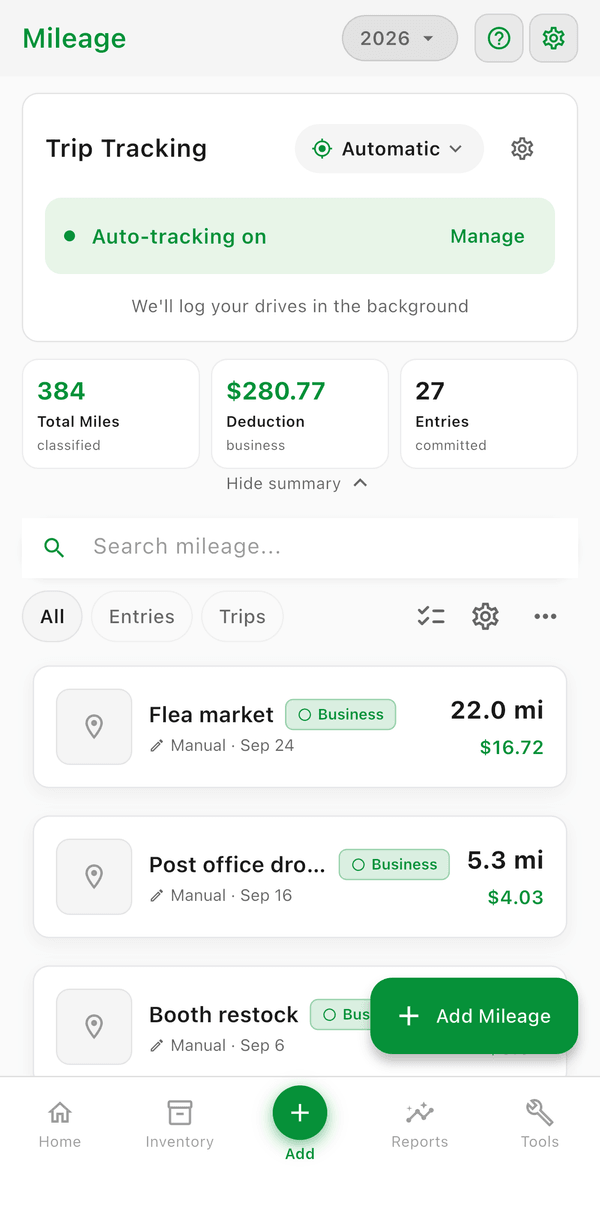
- Open the Mileage tab
- Tap + to log a new trip
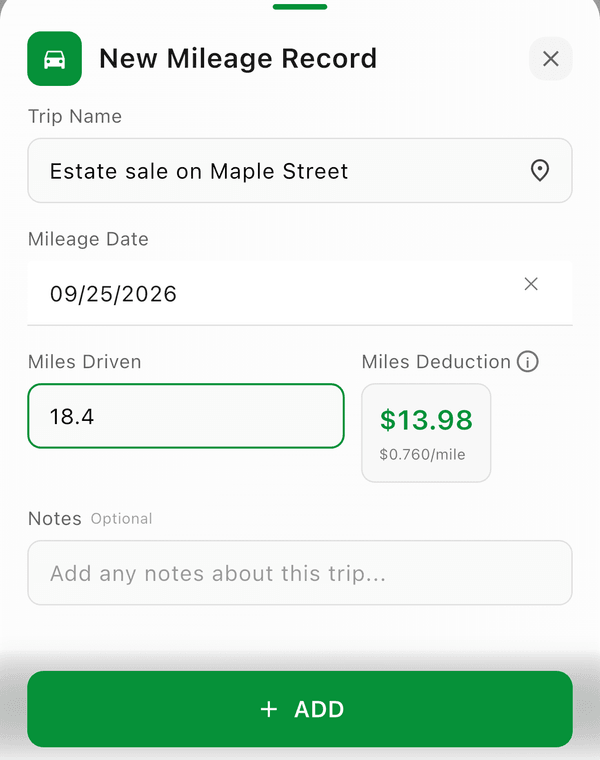
- Enter the trip details:
- Trip Name (e.g., "Home to Post Office") -- tap Pick a destination to choose a saved or storage location
- Mileage Date
- Miles Driven (or Kilometers Driven in metric countries)
- Miles Deduction -- calculated automatically from the miles and the IRS rate for that date
- Notes (optional)
- Tap Save
Trips you log by hand are business mileage -- there's no business/personal switch on the form. Only auto-tracked trips need classifying.
Live Trip Tracking
- Open the Mileage tab and set the tracking mode to Manual (tap Manage on the tracking card, then Tracking mode)
- Tap Start Trip to begin live GPS tracking
- Drive to your destination -- Flippd tracks the route in real time
- Tap Stop Trip when you arrive
- Review the distance, classify the trip, and save
The Rate Flippd Uses
Flippd applies the IRS standard mileage rate in effect on the trip's date, so a trip from last year is calculated at last year's rate:
| Trip date | Rate per mile |
|---|---|
| 2024 | 67¢ |
| 2025 | 70¢ |
| Jan--Jun 2026 | 72.5¢ |
| Jul--Dec 2026 | 76¢ |
Earlier years are covered too, back to 2011. See current and past rates under Settings > Mileage > Mileage Rates.
Saved Locations
Save frequently visited places for faster trip entry:
- Tap Manage on the tracking card, then Manage Saved Locations
- Add locations like your local thrift stores, post office, or storage unit
- When logging a trip, tap Pick a destination and select a saved location instead of typing it each time
Getting Your Log Out
- Reports > Tax Reports > Mileage Log gives you an IRS-ready mileage log (PDF) for your accountant
- You can also Print or Export from the overflow menu on the Mileage tab
- Under Manage > Vehicle & odometer, enter your vehicle and its odometer reading on Jan 1 -- it's shown on your IRS mileage log
Your Location Data Stays Private
Trips and their GPS routes are stored on your device, not in the cloud. When you save a trip for your records, Flippd keeps the mileage and the deduction but leaves the detailed location trail on your phone. You get an accurate, IRS-ready mileage log without your movements being synced to a server.
Good to Know
- Only business trips count as tax deductions -- mark personal trips separately
- Common business trip purposes: sourcing at thrift stores, post office runs, storage unit visits
- Keep a consistent log -- the IRS requires mileage records to claim the deduction
- You can duplicate a trip entry (Dupe) for recurring routes
- Outside the US, the IRS rates don't apply -- type your own deduction amount on each trip
- If your business country uses the metric system, the form asks for Kilometers Driven and rates show per kilometer
- On a trip's detail, Items sourced on this trip lets you Attach the inventory items you bought on that trip
- The free plan caps how many trips you can log; subscribers have no cap -- see What are the usage limits on the free plan?