 Flippd Help
How do I use Flippd as an eBay seller?
Connect eBay under Settings > Integrations once (a Pro feature; the free plan gets a read-only 90-day preview), and Flippd imports your listings and sales history, then keeps sales current automatically. Your job becomes adding cost, source, and storage location to each item so profit is real, and letting Reports and the Coach show you what's working. Storefronts and other in-person tools can stay switched off.
Set Up
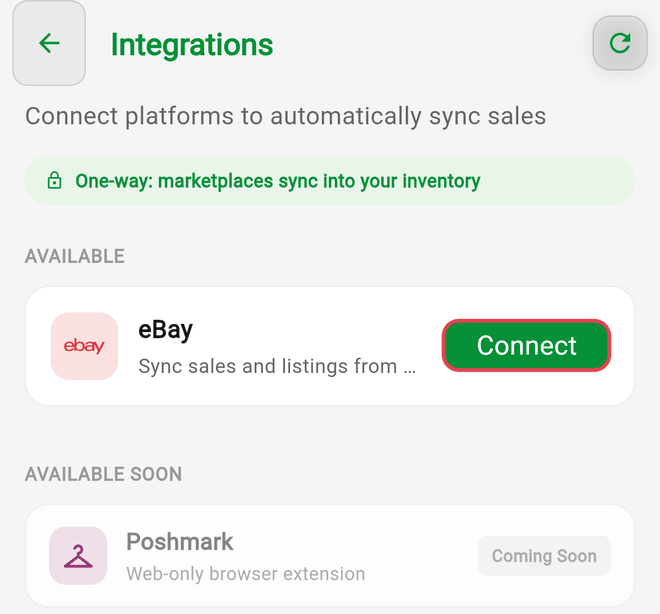
- Connect eBay. Go to Settings > Integrations, connect your eBay account, and review the imported listings. Matching is by SKU or Stock Number (after any existing eBay link), so items you already had in Flippd link instead of duplicating.
- Add what eBay doesn't know. The import brings titles, prices, photos, and sales, but not what you paid. Work through the imported items and enter cost, Source, and Storage Location. Bulk edit helps for sources and locations.
- Check your fee settings. Under Settings > Customize Data > Platforms, confirm the eBay fee matches your store level so estimated profit is accurate.
- Hide what you don't need. Under Settings > Feature Visibility, turn off Storefronts and anything else you won't use.
Day to Day
- New listings: add the item in Flippd first with its cost, then list on eBay with the same SKU (or eBay custom label). The next sync links them. Flippd does not create eBay listings for you.
- Sales: arrive on their own. eBay sync marks the item Sold and fills in the sale price, fees, and shipping cost from eBay's records, so profit is complete without you touching it. If fees and shipping aren't coming through on an older connection, the Integrations screen asks you to reconnect to enable fee and shipping-cost import.
- Multi-quantity listings: partial sales are tracked as they happen.
- Cross-listed items: tick every platform under Listing Platforms. An ended eBay listing flips the item to Unlisted unless it's also listed elsewhere.
- SKU rule: on eBay-linked items, Flippd mirrors eBay's custom label into the SKU field on every sync. Change the SKU on eBay if you want it changed, or use the Stock Number field in Flippd, which the sync never touches.
Storage and Shipping
Give every item a Storage Location (shelf, bin, tote) and print a QR label. When a sale comes in, the item detail tells you exactly where it is. Shipping supplies and postage go in Expenses, or scan the receipt.
Reviewing the Business
- The Platform Performance and Category Performance charts in Reports show eBay profit after fees and what sells; the Your Performance card on Home shows sell-through.
- Tools > Aging flags listings that aren't moving; Tools > Death pile shows what you bought 30+ days ago and never listed. Relist, reprice, or bundle them.
- Set a monthly sales Goal and let the Coach's daily briefing keep score.
Features You Can Skip
- Storefronts are for in-person selling. If you also do a market or booth, create one just for that stock; items linked to eBay never appear in a Storefront.
- Invoices are covered by eBay.
Good to Know
- eBay sync is one-way. It never edits, ends, or lists anything on eBay.
- The import covers up to two years of history; older sales stay on eBay.
- Sell an eBay-listed item locally and mark it Sold in Flippd, and the sync won't flip it back to Unlisted when the eBay listing ends.
- Team members can work the inventory, but the eBay connection belongs to the account owner, and only the owner can connect it.
Related Articles
- How do I connect my eBay account to Flippd?
- How does the eBay import match my existing inventory?
- What does eBay sync update — and what does it never touch?
- Does Flippd list my items on eBay, Whatnot, Poshmark, or Mercari?
- How do I set up and use SKU numbers for my inventory?
- What is sell-through rate and how do I improve it?