 Flippd Help
How should I set up Flippd if I'm just getting started with reselling?
Keep it to three habits: add every item with its cost the day you buy it, mark it Listed when it's up, and tap Sold when it sells. Do that and your Home screen shows real profit within a week. Everything else in Flippd can wait until you feel the need for it.
Week One
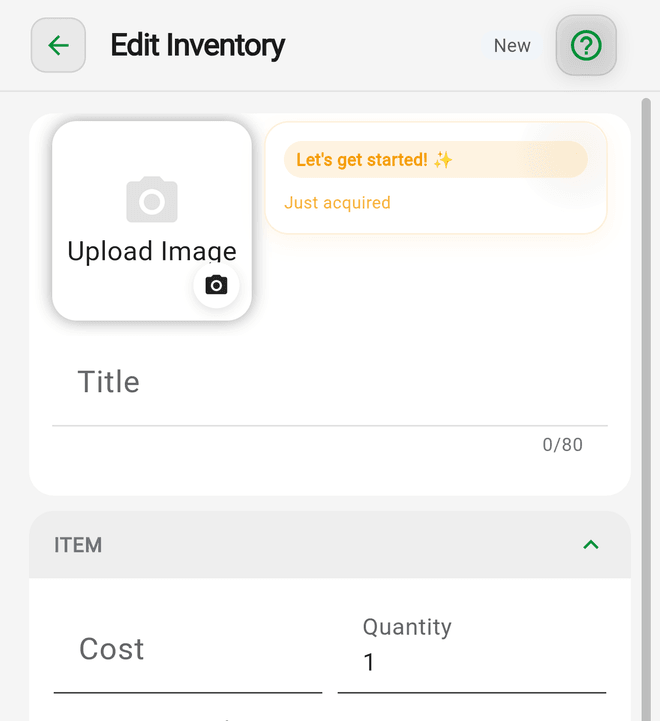
- Add your items. Tap Add, snap a photo, tap AI identify to suggest a title and category, and enter what you paid. If you already have a pile, add it over a few evenings; it doesn't need to be perfect.
- Pick your platforms under Settings > Customize Data > Platforms. Keep only the two or three you actually use. Popular platforms come with their fees already filled in.
- List and sell. When you post something, mark it Listed. When it sells, tap Sold, enter the price, and pick the platform. Flippd does the fee and profit math.
- Take the in-app tour and say hello to the Coach. Its daily briefing will tell you what to do next based on your own numbers.
Week Two and Beyond
- Start using Price lookup before you buy. Seeing what things actually sold for is the fastest way to stop buying stuff that doesn't sell.
- Add a couple of Storage Locations ("Closet", "Garage Shelf") once you can't find things anymore.
- Log expenses for shipping supplies and turn on mileage if you drive to source. They're deductions you'll want at tax time.
- Set one Goal, like "10 sales this month". Small and real beats big and abandoned.
Features You Can Skip For Now
- Storefronts (for in-person selling), bulk purchases, and labels can be hidden under Settings > Feature Visibility so the Tools screen stays calm. Custom fields, team members, and eBay sync simply sit unused until you need them.
- If eBay becomes your main channel, come back to the eBay seller playbook and connect it.
Good to Know
- The free plan includes nearly every feature with caps: 20 items, 25 expenses a month, and 30 trips a month. eBay sync and inviting team members need Pro. That's plenty to find out whether reselling is for you.
- A big flip (over $100 profit or 100% ROI) gets a celebration. Share it with a Share Flip image if you like.
- Coach chat is limited to 10 questions a day on the free plan; the daily briefing is free for everyone.
- The Death Pile view shows Unlisted items you've had 30+ days without listing. It's the beginner's most useful screen.
- Not sure which kind of seller you are yet? See Which Flippd setup fits my kind of business?