 Flippd Help
Which Flippd setup fits my kind of business?
Flippd works for every kind of reseller, but the features that matter most depend on how you sell. Find your business below and open its playbook for a setup checklist, a day-to-day routine, and the features you can safely ignore.
Pick your playbook
| How you sell | Start here |
|---|---|
| Rent a booth in an antique or vendor mall | Antique booth playbook |
| Run estate sales or liquidate houses | Estate sale playbook |
| Set up at flea markets, swap meets, or pop-up markets | Flea market playbook |
| Flip garage sale, yard sale, and thrift finds | Garage sale flipper playbook |
| Own a consignment shop or small retail store | Consignment and retail store playbook |
| Sell mostly on eBay | eBay seller playbook |
| Sell clothing on Poshmark, Mercari, Depop, or Vinted | Clothing reseller playbook |
| Deal in sports cards, sneakers, or collectibles | Cards, sneakers, and collectibles playbook |
| Buy liquidation pallets, bin store hauls, or wholesale lots | Pallet and lot flipper playbook |
| Just getting started | Beginner playbook |
| Reselling on the side of a day job | Side hustle playbook |
| Reselling full time at high volume | Full-time reseller playbook |
The one rule of thumb
Storefronts are for physical selling. If shoppers stand in front of your items (a booth, an estate sale, a market table, a shop floor), a Storefront lets them browse your inventory on their own phone from a QR code. If you only sell online, you don't need one, unless you also do occasional in-person sales, in which case create a Storefront just for those days. Items linked to eBay never appear in a Storefront, so the two don't overlap.
eBay sync is for eBay sellers. If eBay is one of your channels, connect it once (a Pro feature; the free plan gets a read-only 90-day preview) and let it import and keep your sales current. If you don't sell on eBay, skip the Integrations screen entirely.
Everything else (inventory, photos, expenses, mileage, reports, the Coach) applies to everyone.
Good to Know
- Your business type is set during onboarding and can be changed under Settings > Business Profile; booth and retail sellers get a slower aging pace. You can run more than one kind of business in one account, or keep them separate with multiple accounts.
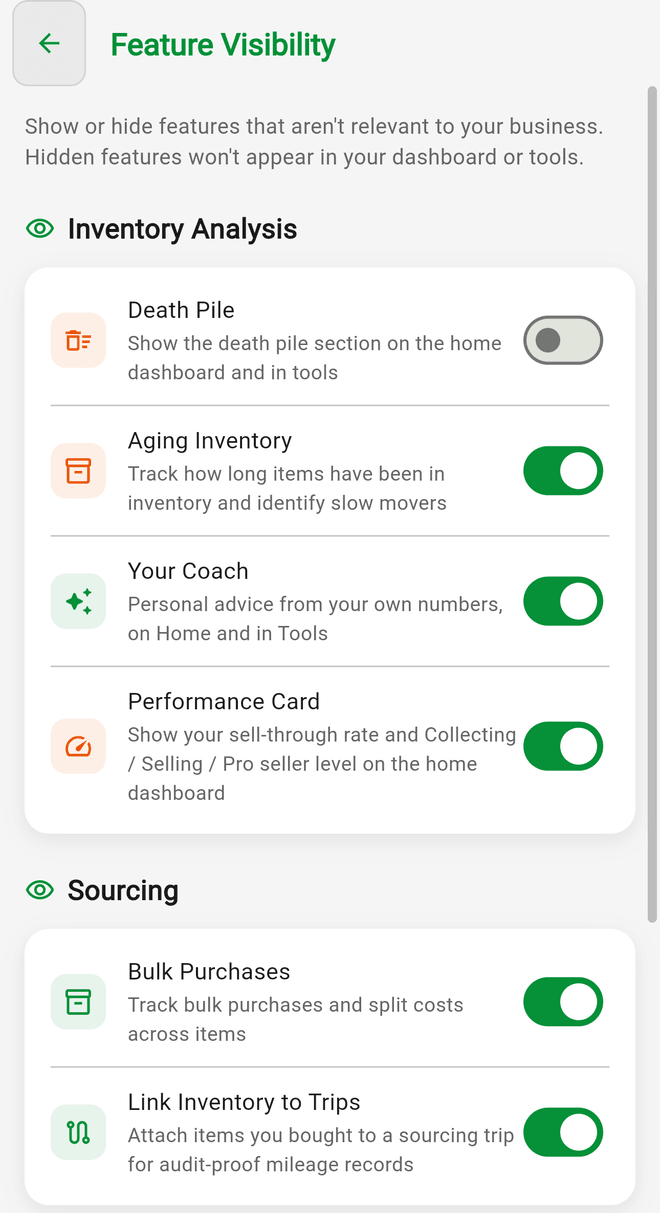
- Hide features you don't use under Settings > Feature Visibility so your Tools screen stays clean.
- If none of these fit, the beginner playbook is the safest general setup.