
Flippd Connect: Import Your Poshmark Closet Into Flippd
Flippd Connect is a free Chrome extension that imports your active Poshmark listings into Flippd, with photos and prices. It only reads your closet.
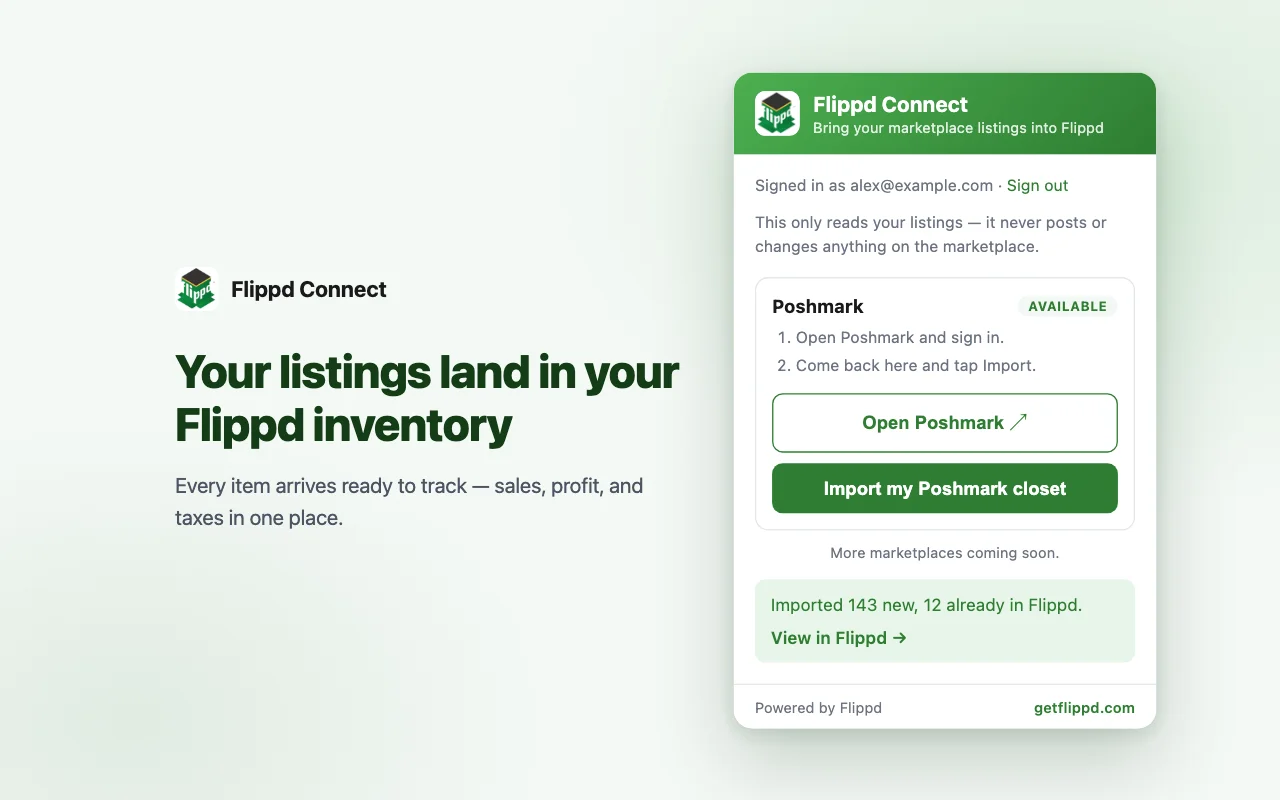
If you sell on Poshmark, getting your closet into Flippd has meant typing each item in or wrestling with a spreadsheet. For a closet of a few hundred pieces, that is an afternoon most people never get around to.
Today there is a faster way. Flippd Connect is a free extension for Chrome that reads your active Poshmark listings and adds them to your Flippd inventory, photos and all. It is live in the Chrome Web Store now.
How it works
You need Chrome on a computer and a Flippd subscription. Then:
- Add Flippd Connect to Chrome
- Click its icon and choose Sign in with Flippd
- Open Poshmark and sign in
- Click Import my Poshmark closet
The extension reads your closet and sends the listings to your Flippd account. When it finishes you get a plain summary, something like "Imported 143 new, 12 already in Flippd."
Each listing arrives as a Listed item on the Poshmark platform with its title, description, price, photos, brand and size. The items show up in the Flippd app on your phone too, so the import is the only part you do at a computer.
It only reads
This matters, so here is exactly what the extension does and does not do.
Flippd Connect reads the listings in your own closet, in the Poshmark tab you are already signed in to, when you click Import. That is all. It does not post, share, follow, relist, send offers or change a single listing. It does not run in the background. Your Poshmark password never reaches Flippd.
Flippd is where your numbers live, and we would rather ship a careful import than a tool that acts on your selling account.
Why an extension?
Poshmark does not offer a connection that outside apps can use, the way eBay does. The only place your closet data is available is your own signed-in browser. So the import runs there, on your computer, and only when you ask for it.
It is also why this is a Chrome extension and not a button in the phone app.
What it does not do yet
We would rather you hear the limits from us.
- Sold listings are not imported. Poshmark's closet shows the price an item was listed at, not what the buyer paid after an offer. Importing that would put wrong revenue in your books, so sold items are left out and counted in the result. Record those sales in Flippd as you do today.
- It is an import, not a sync. When you list new pieces, run the import again. New listings are added and the ones already in Flippd are skipped. When something sells on Poshmark, mark it Sold in Flippd.
- It does not know what you paid. Add your cost to each item after the import so your profit is right. Bulk edit makes this quick if you paid a flat price per piece.
- Chrome on a computer only, and Poshmark only for now.
If you already have items in Flippd
The import checks your existing inventory first. A listing that looks like something you already track waits for your decision on the review screen, so you do not end up with two of everything.
Try it
Add Flippd Connect to Chrome, run your first import, and tell us how it went. The full walkthrough is in the help centre: How do I import my Poshmark listings into Flippd?
If the extension saves you an afternoon, a rating in the Chrome Web Store helps other Poshmark sellers find it.